
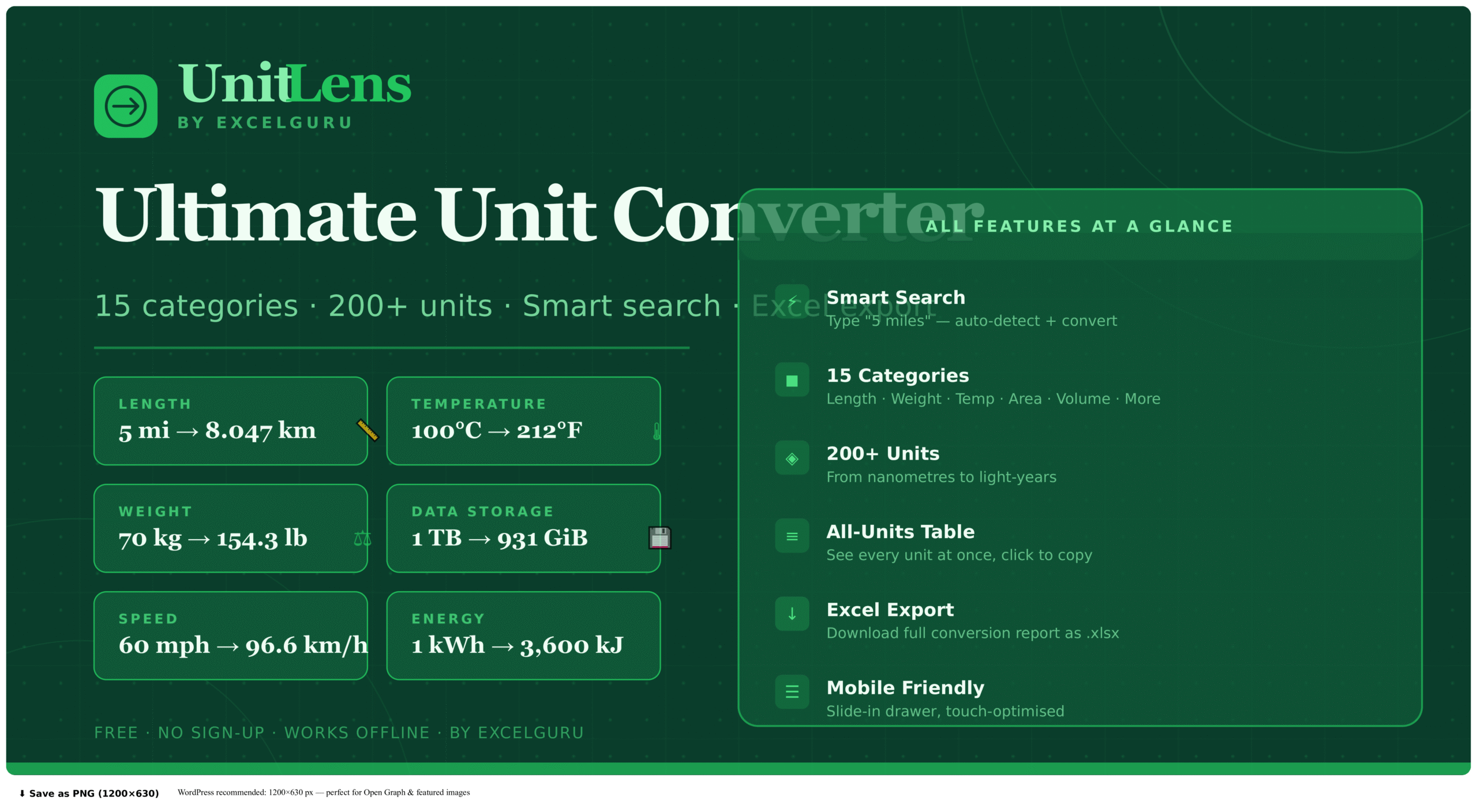
UnitLens: Free Online Unit Converter — 15 Categories

Whether you are a student converting metres to miles for a physics assignment, a chef trying to work out how many grams are in a cup of flour, a developer checking how many gigabytes fit in a terabyte, or a traveller calculating fuel efficiency on a road trip abroad, you need a fast, reliable unit converter that works across every category of measurement without switching between different tools. That is exactly what UnitLens by ExcelGuru was built to deliver.

UnitLens is a free, browser-based online unit converter that covers 15 distinct measurement categories and more than 200 individual units. With its intelligent smart search, live bidirectional conversion, full conversion table, recent history, and one-click Excel export, UnitLens is the most comprehensive free unit conversion tool available without a sign-up or subscription.

In this complete guide, we will walk through every feature of UnitLens, explain how to use it, and detail every unit available across all 15 categories — giving you everything you need to convert any measurement, any time.

UnitLens
by ExcelGuru
Ultimate unit converter — 15 categories
Live
15
Categories
200+
Units
0
History
0
Favorites
Current
Result
Categories
From
To
All conversions for current value
UnitSymbolValueType
Recent Conversions
No conversions yet — start converting above.
15 categories · 200+ units

What Is UnitLens and Why Is It Different?

A unit converter is a tool that translates a measurement expressed in one unit into its equivalent value in one or more other units. Basic unit converters have existed on the web for decades, but most of them are cluttered with advertising, limited to a single category per page, or require multiple clicks to reach the unit you need. UnitLens was designed from the ground up to solve these frustrations.

The defining features that make UnitLens different are its smart search bar, which lets you type a value and unit in plain language and be taken directly to the right converter with the value pre-filled; its universal all-conversions table, which displays every unit in the active category simultaneously rather than making you select pairs one at a time; and its Excel export, which downloads a complete structured conversion report — a feature no other free unit converter tool offers.

UnitLens is also built as a single self-contained HTML file with all identifiers namespaced under the `uc-` prefix, meaning it can be embedded into any website, blog, or web application without conflicting with existing code. It is fully responsive and optimised for mobile devices, with a slide-in category drawer and touch-optimised controls that make it as easy to use on a phone as on a desktop.

How to Use the UnitLens Smart Search

The smart search bar at the top of UnitLens is the fastest way to reach any converter. It understands natural language input combining a numeric value with a unit name or symbol. Typing “5 miles” automatically opens the Length converter with 5 miles pre-filled as the source value. Typing “100 kg” opens the Weight converter with 100 kilograms pre-filled. Typing “72°F” or “72 fahrenheit” opens the Temperature converter with 72 degrees Fahrenheit ready to convert. Typing “500 GB” opens the Data and Storage converter pre-filled with 500 gigabytes.

The search also recognises unit names without a numeric value. Typing “kilowatt” finds the Power category and takes you directly to the kilowatt unit. Typing “atmosphere” finds the Pressure category. Typing “parsec” finds Length. This makes UnitLens an effective unit discovery tool for anyone who knows what they want to convert but is not sure which category it falls under.

Search results appear in a dropdown beneath the search bar, showing the matched unit name, its symbol, and its parent category. Selecting any result loads the appropriate converter instantly. The search is ranked by match quality — exact symbol matches appear first, followed by prefix matches, followed by partial name matches.

Pro tip: Most unit symbols work directly in the search bar. Try “kPa”, “AU”, “kWh”, “lbf”, “GHz” — UnitLens recognises hundreds of standard unit symbols and abbreviations.

How to Convert Between Units: Step by Step

Using the main converter interface in UnitLens is straightforward. Each category provides two selector dropdowns — “From” and “To” — each containing every unit in that category. You type the value you want to convert into the “From” field, select the source unit, and select the target unit. The result appears instantly in the large green display below, updated in real time as you type.

The swap button between the two selectors reverses the direction of conversion with a single click — if you have just converted 5 miles to kilometres, pressing swap converts the result in kilometres back to miles, making it easy to explore a conversion in both directions without re-entering the value.

The “To” field also accepts manual input. If you type a value into the right-hand field and then change the unit selectors, the displayed result updates accordingly. This bidirectional design means you can work from either end of the conversion — either specifying the source value you have, or specifying the target value you need and working backwards to understand what the source would be.

Below the main converter card, the All Conversions table shows the source value converted into every unit in the active category simultaneously. Every value in this table is clickable to copy to the clipboard. This table is particularly useful when you need to understand relative magnitudes across an entire unit system — for example, seeing 1 kilometre expressed as metres, centimetres, millimetres, miles, yards, feet, inches, and nautical miles all at once.

Simulating Color Blindness with ColorLens

Approximately 8% of males and 0.5% of females have some form of color vision deficiency. This means that for every hundred users who visit your website or application, eight or more may perceive your carefully chosen colors in a significantly different way than you intended. The Color Blindness tab in ColorLens makes this visible.

ColorLens simulates six distinct types of color vision deficiency by applying scientifically validated transformation matrices to each of your palette’s five primary shade stops. The simulations run simultaneously so you can compare them side by side without switching between modes.

Deuteranopia (reduced green sensitivity, affecting approximately 6% of males) causes greens to appear yellowish and makes red-green distinction difficult. Protanopia (reduced red sensitivity) makes reds appear very dark and increases confusion between red and green. Tritanopia (reduced blue sensitivity, extremely rare at approximately 0.01% of people) causes blues to appear greenish and yellows to appear pinkish. Achromatopsia (complete color blindness, affecting approximately 0.003% of people) renders all colors as shades of gray — the most extreme simulation. Deuteranomaly is the most common color vision deficiency overall and reduces green sensitivity without eliminating it entirely.

Reviewing these simulations before finalising a color palette is a professional accessibility practice that prevents one of the most common and easily avoided design failures: relying on color alone to convey meaning.

UnitLens Reference Guide

Complete Guide to All 15 Conversion Categories

UnitLens covers major physical measurement systems used in daily life, engineering, science, computing, and commerce. Below is a complete reference to all 15 categories and the units available in each.

Category Units Includes
📏 Length 16 units nm, mm, cm, m, km, in, ft, yd, mi, nmi, AU, ly, pc, fur, ftm, µm
⚖️ Weight / Mass 13 units µg, mg, g, kg, t, oz, lb, st, US ton, long ton, carat, grain, troy oz
🌡️ Temperature 5 units °C, °F, K, °R (Rankine), °Ré (Réaumur)
◻️ Area 10 units mm², cm², m², km², ha, ac, mi², yd², ft², in²
🧪 Volume 16 units mL, L, m³, fl oz, cup, tbsp, tsp, pt, qt, gal (US/UK), bbl, cm³, ft³, in³
🚀 Speed 7 units m/s, km/h, mph, ft/s, knot, Mach, speed of light
⏱️ Time 13 units ns, µs, ms, s, min, h, d, wk, mo, yr, decade, century, millennium
💾 Data / Storage 11 units bit, B, KB, MB, GB, TB, PB, KiB, MiB, GiB, TiB
⚡ Energy 11 units J, kJ, MJ, cal, kcal, Wh, kWh, MWh, BTU, eV, ft·lb
🌀 Pressure 9 units Pa, kPa, MPa, bar, mbar, atm, PSI, mmHg, inHg
🔋 Power 9 units mW, W, kW, MW, GW, hp (mech), PS (metric), BTU/h, ft·lb/min
📐 Angle 6 units °, rad, grad, turn, arcmin (′), arcsec (″)
⛽ Fuel Economy 6 units L/100km, km/L, MPG (US), MPG (UK), km/gal, mi/L
🏋️ Force 8 units N, kN, MN, lbf, kgf, dyne, poundal, ozf
〰️ Frequency 8 units mHz, Hz, kHz, MHz, GHz, RPM, rad/s, cycles/min
Length

Length Converter

The Length category includes 16 units across human-scale, scientific, navigational, and astronomical contexts. It covers the metric system, imperial units, nautical distances, and deep-space measurement units.

In addition to metres, kilometres, inches, feet, yards, and miles, it also includes nautical miles, fathoms, furlongs, astronomical units, light-years, and parsecs.

Weight

Weight and Mass Converter

This category spans 13 units across metric, imperial, US, jewellery, and specialist systems. It includes micrograms through tonnes, as well as ounces, pounds, stone, long tons, and US short tons.

Specialist units such as carat, grain, and troy ounce are included for gemstones, pharmaceuticals, ammunition, and precious metal trading.

Temperature

Temperature Converter

UnitLens supports five temperature scales: Celsius, Fahrenheit, Kelvin, Rankine, and Réaumur.

These conversions are handled correctly using non-linear formulas where necessary, since temperature conversion often involves additive offsets rather than simple multiplication.

Storage

Data and Storage Converter

The Data and Storage category includes both decimal SI units and binary IEC units. That means KB, MB, GB, TB, and PB are available alongside KiB, MiB, GiB, and TiB.

This is especially useful when comparing how storage manufacturers label capacity versus how operating systems report it.

Energy

Energy Converter

Energy conversion supports joules, calories, kilowatt-hours, BTU, electronvolts, and foot-pounds, making it useful for engineering, physics, utility billing, HVAC calculations, and nutrition.

The kilowatt-hour is one of the most commercially important units here, as it is the standard billing unit for electricity consumption.

Fuel Economy

Fuel Economy Converter

Fuel economy is one of the most region-dependent conversion categories. UnitLens supports L/100km, km/L, MPG (US), MPG (UK), km/gal, and mi/L.

Because these units use a reciprocal relationship, UnitLens handles the non-linear conversion automatically, helping travellers and vehicle buyers compare values accurately across markets.

Key Features of UnitLens

Conversion History

Every conversion you perform in UnitLens is automatically added to a Recent Conversions history log displayed at the bottom of the panel. The history stores the last 20 unique conversions with the category icon, the full conversion string (e.g. “5.000 mi = 8.047 km”), the category name, and the time the conversion was performed. Clicking any history entry reloads that exact conversion — category, units, and value — making it easy to revisit or build on previous work without retyping.

Favorites

The Favorite button in the converter toolbar lets you star any category for quick reference. Favorited categories are counted in the live ticker bar at the top of the page. This is useful for people who regularly convert within a specific domain — a chef who frequently converts between volume units, or a developer who regularly converts data storage units, can mark those categories as favorites for faster access.

Excel Export

The Download Table button generates a structured Excel workbook with three sheets. The first sheet contains the full conversion table for the currently active category — every unit converted from the current source value, with unit names, symbols, converted values, unit types, and category labels. The second sheet provides an all-categories summary showing sample conversions from the base unit of each category. The third sheet exports the full conversion history from the current session. This Excel report is designed to be useful in professional contexts: engineers documenting design calculations, teachers preparing reference sheets, scientists recording unit conversions for a lab report, or anyone who needs a permanent record of their conversion work.

Mobile Optimisation

On mobile devices, the 15-category sidebar collapses into a slide-in drawer accessed via the “All Categories” button. The input row stacks vertically for comfortable thumb use. The ticker bar simplifies to show the four most important metrics. All swatches, buttons, and inputs are sized for touch interaction. The tool has been tested on iOS Safari, Android Chrome, and mobile Firefox.

UnitLens vs Other Online Unit Converters

The unit conversion tool market is competitive, with well-established players including UnitConverters.net, ConvertWorld.com, RapidTables.com, and the built-in conversion features of Google Search. UnitLens differentiates from all of these in several important ways.

Smart natural language search is genuinely rare in this category — most converters require you to navigate to the right category page first, then select your units. UnitLens’s ability to parse “5 miles” or “100 kg” and land you directly in the right converter with the value pre-filled saves several clicks on every use. All-conversions table — showing every unit simultaneously rather than just a pair — is a significant time-saver for anyone exploring an unfamiliar unit system. Excel export is unique in the free tier: no comparable free tool offers a downloadable structured conversion report. And zero advertising means the interface is clean and fast, with no distraction or privacy-compromising ad tracking.

Conclusion: The Only Unit Converter You Will Ever Need

UnitLens by ExcelGuru brings together all the unit conversion functionality you will ever need — from the everyday (metres to feet, kilograms to pounds, Celsius to Fahrenheit) to the highly specialised (parsecs to light-years, electronvolts to joules, Rankine to Kelvin, L/100km to MPG) — in a single, fast, free, mobile-ready tool that works in any browser without a sign-up.

Whether you use it for a quick one-off conversion or as a regular companion for professional technical work, UnitLens delivers accuracy, speed, and the uniquely powerful combination of smart search, simultaneous all-unit display, and Excel export that no competing free tool can match.

UnitLens by ExcelGuru is free, requires no sign-up, works offline after first load, and stores no data. Open it on any device and start converting immediately.

UnitLens FAQ

Frequently Asked Questions

Clear answers about conversion accuracy, offline use, data units, fuel economy conversions, Excel compatibility, and smart search behavior.

All conversion factors in UnitLens are sourced from the International Bureau of Weights and Measures (BIPM) SI standards and the US National Institute of Standards and Technology (NIST).

The tool uses JavaScript’s 64-bit IEEE 754 floating-point arithmetic, which provides roughly 15–16 significant digits of precision — more than enough for practical use.

Results are displayed with up to 10 significant figures, and very large or very small values are shown in scientific notation where appropriate.

Yes. Once the page has loaded in your browser, including the Google Fonts stylesheet, UnitLens works entirely offline.

All conversion logic runs locally in your browser using JavaScript. No data is sent to any server.

You can also save the HTML file to your device and open it locally for permanent offline use.

The difference comes from two different standards.

In the decimal (SI) system, a kilobyte (KB) is exactly 1,000 bytes. This is the standard used by storage manufacturers, network providers, and SI definitions.

In the binary (IEC) system, a kibibyte (KiB) is 1,024 bytes. This is commonly used by operating systems and software applications.

UnitLens includes both because the difference causes real-world confusion and is a common conversion need.

Yes. UnitLens includes a dedicated Fuel Economy category covering: L/100km, km/L, MPG (US), MPG (UK), km/gallon (US), and miles/litre.

Because fuel economy uses a reciprocal relationship, UnitLens automatically applies the correct non-linear conversion formula.

You only need to enter the value and choose the target unit.

Yes. UnitLens exports a standard .xlsx workbook compatible with: Microsoft Excel, Google Sheets, LibreOffice Calc, and Apple Numbers.

The file opens cleanly across these applications without formatting issues.

When the same unit name appears in multiple categories — such as gallon in both Volume and Fuel Economy — UnitLens returns all relevant matches.

The dropdown shows the category name beside each result so you can choose the correct one quickly.

Results are ranked by relevance, with exact symbol matches appearing before partial name matches.