
Power Query

Master Excel Power Query with this collection of step-by-step tutorials covering data import, transformation, cleaning, merging, filtering, automation, and ETL (Extract, Transform, Load) processes.

Learn how to connect to multiple data sources, automate repetitive tasks, reshape datasets, combine files, and refresh reports with a single click. Ideal for Excel users, analysts, accountants, business professionals, and anyone looking to streamline data preparation and build efficient reporting workflows.

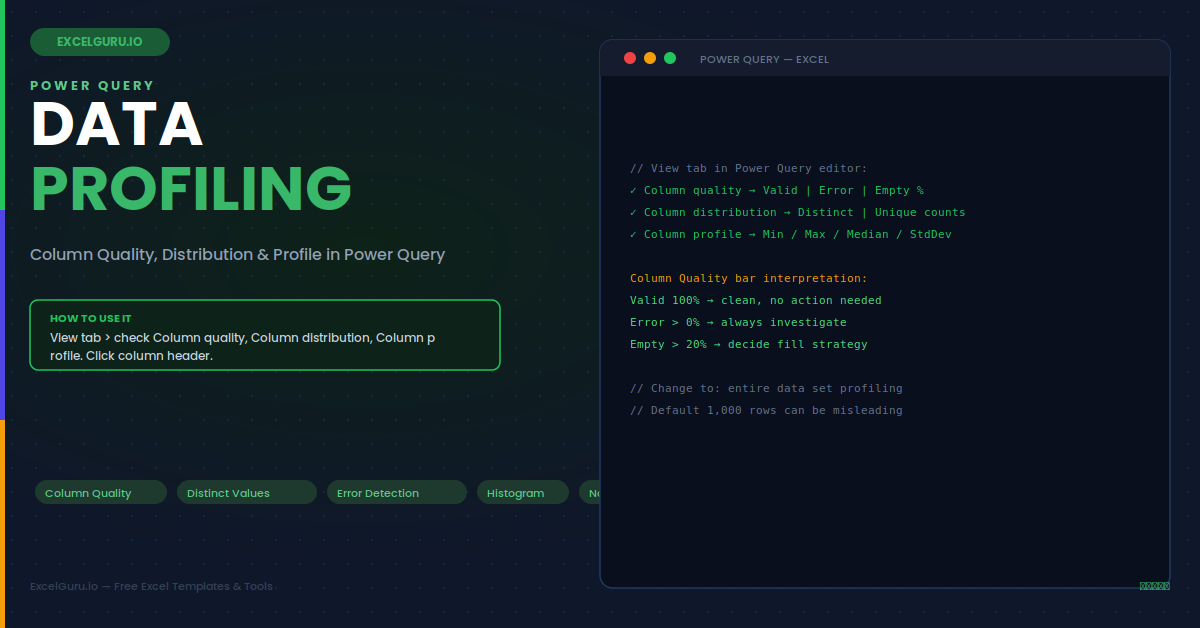
Power Query data profiling in Excel tutorial showing column quality value distribution errors blanks and data patterns

Power Query: Data Profiling – Column Quality, Distribution & Profile

Improve data cleaning and validation with Power Query data profiling in Excel. This tutorial explains how to use column quality, column distribution, and column profile tools to identify errors, empty values, duplicates, data type issues, unusual patterns, and inconsistent records before loading data into Excel. Ideal for Excel users, analysts, finance teams, operations teams, and professionals who want cleaner, more reliable datasets.
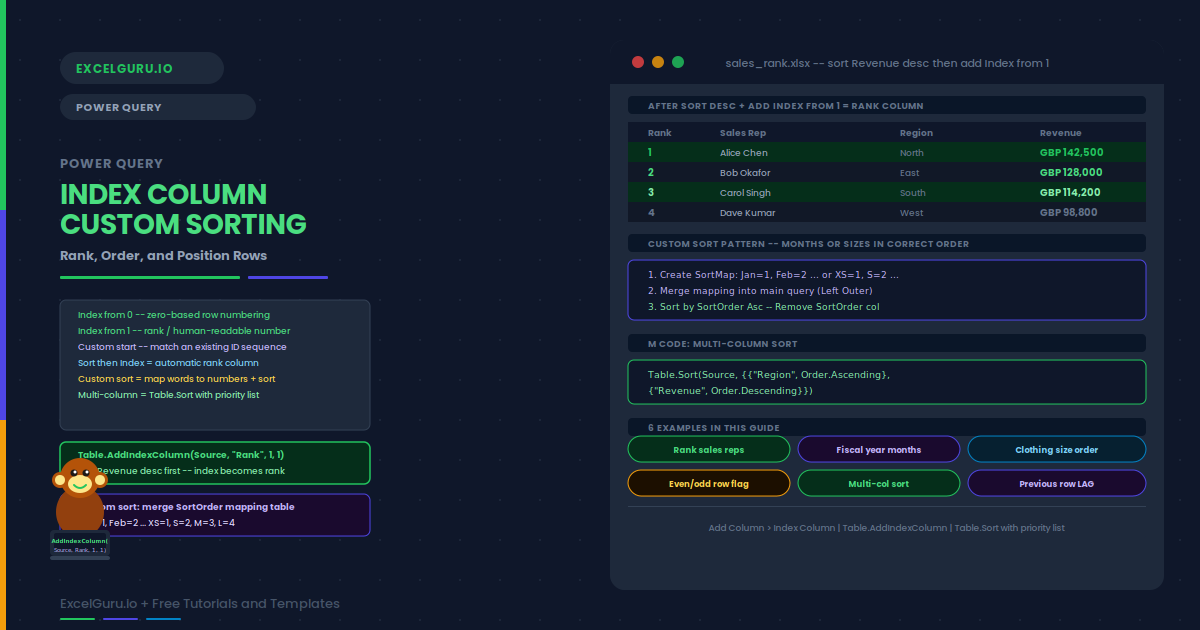
Excel tutorial showing how to add an index column for custom sorting and organizing data in a specific order

Power Query: Add Index Column & Custom Sorting in Excel

Need more control over how your Excel data is sorted? This practical tutorial shows you how to add an index column to create a custom sorting order and organize rows exactly the way you want. Learn how to assign numerical or sequential index values, use them to control the order of categories, and sort your data without changing the underlying information. This technique is useful for custom category orders, priority lists, workflow stages, reporting, dashboards, and structured data analysis. Ideal for Excel users, analysts, data professionals, and anyone who needs more flexibility than standard alphabetical or numerical sorting.