
Every project generates issues. Technical problems, process failures, resource conflicts, scope disputes, and supplier delays — they all need to be logged, assigned, and resolved. Issues that are not tracked are issues that are not managed.
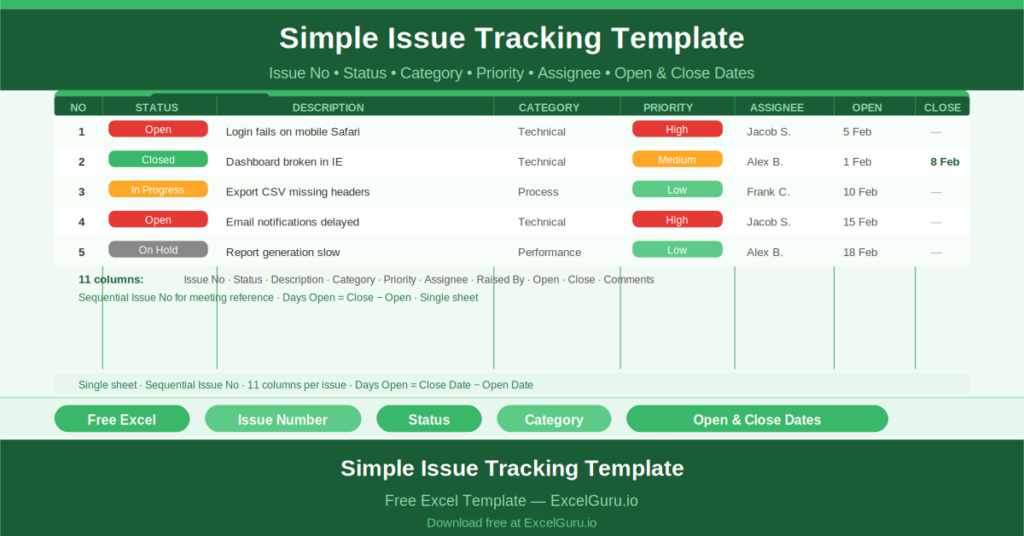
This free Excel Simple Issue Tracking Template gives you a clean, portable issue log that records every issue from the moment it is raised to the moment it is closed — with status, priority, category, assignee, and open and close dates all captured in one row.
What Is the Simple Issue Tracking Template?
The Simple Issue Tracking Template is a free Microsoft Excel workbook with a single sheet. It is designed to be used by a single project team, department, or company — with header fields for Company, Department, Project Name, and Project Manager that identify the scope of the log.
The Eleven-Column Issue Log
Each issue row captures eleven fields:
- Issue No: a sequential reference number for tracking and discussion
- Status: the current state of the issue (Open, In Progress, Closed, On Hold)
- Description: a clear statement of what the issue is
- Category: the type of issue (Technical, Process, Resource, etc.)
- Priority: High, Medium, or Low
- Assignee: the person responsible for resolving the issue
- Raised By: the person who logged the issue
- Open Date: when the issue was first logged
- Close Date: when the issue was resolved
- Comments: any additional context, updates, or resolution notes
Sequential Issue Numbers
The Issue No column provides a unique reference for every issue in the log. Referencing issues by number in meetings, emails, and status reports prevents ambiguity — “Issue 7” is unambiguous; “the database problem from last Tuesday” is not.
Open and Close Dates
Recording both the Open Date and Close Date creates a resolution timeline. Issues that stay open for weeks when they should close in days become visible. Patterns of slow resolution — particular assignees, particular categories — emerge from the data when dates are consistently captured.
The average number of days between Open Date and Close Date is a useful proxy for issue resolution velocity, and one that can be calculated from the log at any point.
Who Should Use This Template?
Project managers who need a lightweight issue tracking tool that does not require a software subscription will use this template as their complete issue management solution for smaller projects.
Development teams and technical delivery leads who raise and resolve issues daily will use the template to maintain a shared issue log that everyone on the team can update and review.
Operations teams managing process issues and improvement actions will adapt the Category column to reflect their specific issue types and use the log as an operations improvement register.
How to Use the Template
Open the workbook. Enter the Company, Department, Project Name, and Project Manager in the header. As issues arise, add a new row: assign a sequential Issue No, set the Status to Open, describe the issue, categorise it, assign a priority, name the Assignee and who Raised it, and record the Open Date. Update Status and add Comments as the issue progresses. Enter the Close Date when resolved.
Download the free Simple Issue Tracking Template and make sure every project issue has a number, an owner, and a close date.