
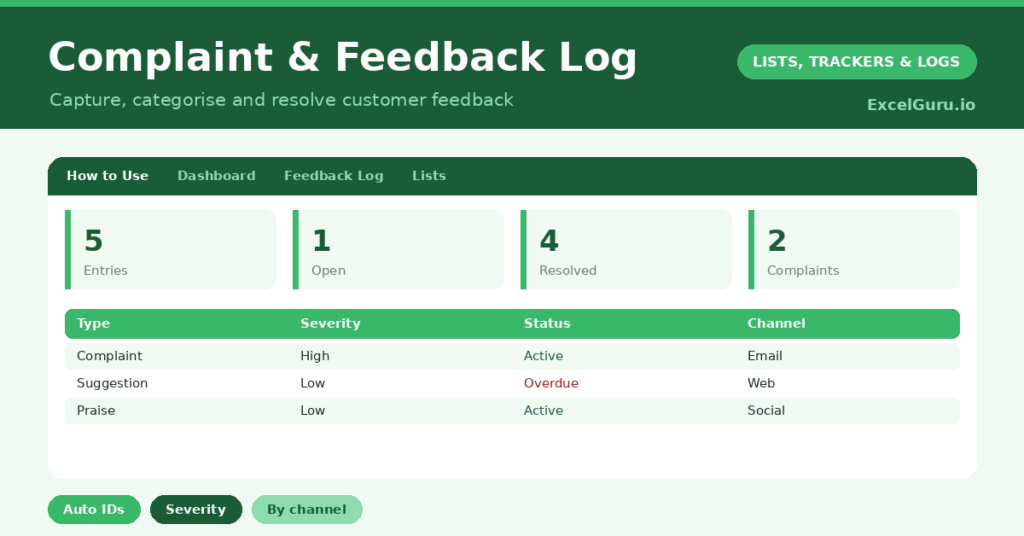
A feedback log turns scattered customer comments into something a business can actually act on. Complaints arrive by email, praise on social media, and suggestions in passing, then most of it evaporates. So the patterns that could improve your product or service are lost, and the same complaints keep recurring.
This free template captures each piece of feedback with its type, severity and status. So it generates an ID automatically and tracks every item to resolution. As a result, nothing falls through the cracks, customers feel heard, and you can spot the trends worth acting on.
What does the feedback log include?
The template is one log feeding a clear dashboard. Dropdowns keep channels, types and statuses tidy. In short, you get the following:
- A feedback log with an auto-generated ID, date, customer, channel, type, description, severity, status and resolution.
- Drop-down lists for channel, type, severity and status, so entries stay consistent.
- Color-coded severity and status, so high-severity and open items stand out.
- A resolution column, so the outcome of each item is on record.
- A dashboard showing total entries, open items, resolved items, complaints, praise and this month’s volume.
Which formula powers the feedback log?
The housekeeping is automatic. Each ID is generated with =IF(Customer=””, “”, “FB-“&TEXT(ROW()-3, “000”)), so every item gets a clean reference like FB-001 for follow-up and reporting.
On the dashboard, COUNTIF formulas count open and in-progress items together, total your complaints and praise separately, and tally resolved items. A SUMPRODUCT counts this month’s feedback. So the dashboard surfaces both your outstanding workload and the balance of complaints against praise.
Why keep a feedback log and also, using Excel?
The first reason is that nothing gets lost. A logged complaint is a complaint that gets answered, rather than one that quietly slips away and festers. So customers feel heard, which is half the battle.
The second reason is insight. When feedback lives in one place, patterns emerge: a recurring complaint about delivery, or a repeated request for a feature. So you can fix the cause rather than firefight each instance. The praise is valuable too, since it tells you what to keep doing. Furthermore, the log demonstrates a professional, accountable approach to customer care. In short, it turns feedback into improvement.
What does the dashboard in the template reveal?
The dashboard gives you a quick read on customer sentiment and your response to it. The open count is your live workload, showing how many items still need resolving. So it tells you what to clear today.
The complaints and praise counts reveal the balance of feedback, which is a useful health check. A rising complaint count in one area is an early warning worth acting on. The monthly figure shows whether feedback is trending up or down. Because it all updates as you log items, you stay on top of both the workload and the trends. So the dashboard keeps customer care proactive.
How do you use template efficiently?
Log every piece of feedback as it arrives, whatever the channel. So your record is complete. Capture the customer, a clear description, and set the type and severity, which makes the feedback easy to filter later.
Then track each item from open to resolved, noting how you resolved it. Review the dashboard regularly, clearing open items and watching for recurring complaints. Because the praise is logged too, you can share the good news with your team. In short, consistent logging turns a stream of comments into a steady source of improvement.
How do you customize it?
Edit the channels, types, severities and statuses on the Lists tab to match your business. Additionally, you can add columns for the owner handling an item, a resolution date, or a follow-up flag. A product or area column helps you spot which part of the business attracts the most feedback. The template suits a sole trader or a busy support team.
What mistakes should you avoid?
The first mistake is logging only complaints and ignoring suggestions and praise. Suggestions point to improvements, and praise tells you what works, so capture all of it. The second mistake is recording feedback but never closing the loop with a resolution.
Always note the outcome, so the log shows that feedback led somewhere. Finally, do not just collect the data without reviewing it. The real value is in spotting the recurring themes, so revisit the log regularly and act on the patterns. A log nobody reviews is merely an archive.
Frequently asked questions
Should I log praise as well as complaints?
Yes. Praise tells you what to keep doing, and suggestions point to improvements. Logging all feedback, not just complaints, gives you a full and far more useful picture of how customers feel.
How does the feedback log generate IDs?
Each item gets an automatic reference like FB-001 from a formula based on its row, so you never assign IDs by hand and every piece of feedback is easy to track and refer back to.
Can it help me spot recurring problems?
Yes. By categorizing feedback by type and area and reviewing it regularly, you can see which complaints keep recurring. That lets you fix the underlying cause rather than handling each one in isolation.
Log every complaint, suggestion and compliment, categorize it, and track it to resolution. The dashboard then keeps your workload and trends in view. A feedback log makes sure customers feel heard, and it turns a scattered stream of comments into the patterns that genuinely improve your business.