
Key takeaways
- Most business spreadsheets contain errors — and the worst ones are invisible until it's too late.
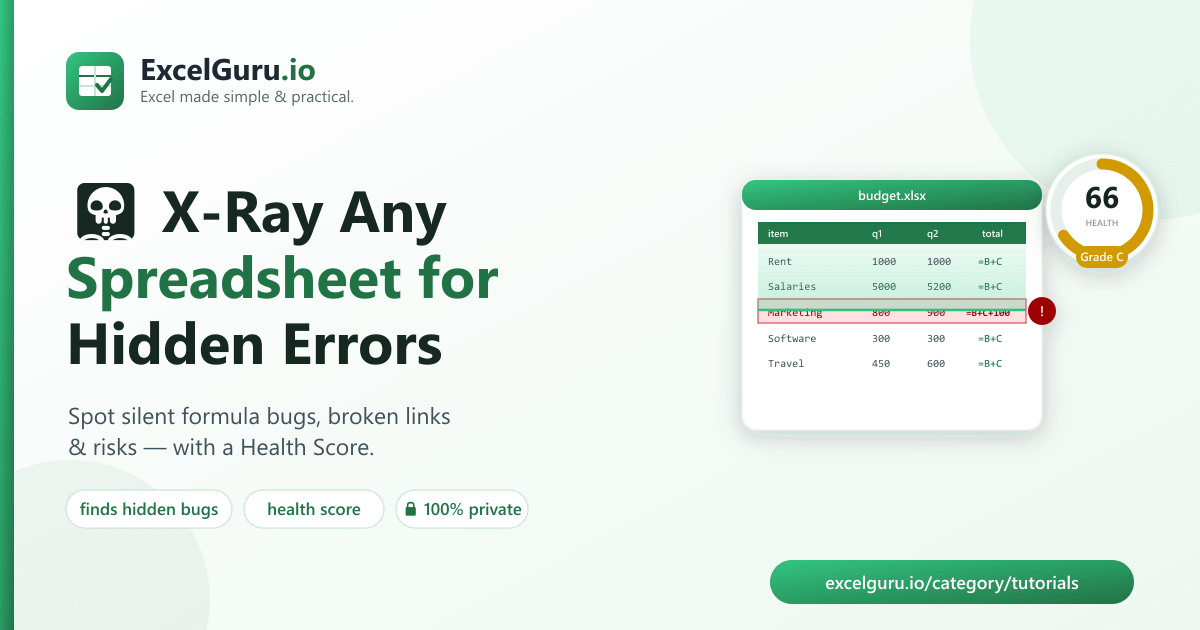
- Excel X-Ray scans a workbook and reports every risk with a Health Score (0–100) and a grade.
- Its standout check finds inconsistent formulas — the one cell that quietly breaks its column's pattern.
- 100% private: the analysis runs in your browser; nothing is uploaded.
- Free and open-source — you can also run it from the command line.
Excel X-Ray is a free tool that audits any workbook for hidden errors and risks — formula errors, inconsistent formulas, broken references, external links, volatile functions, and hidden sheets — and gives it a Health Score. It runs entirely in your browser: your file is never uploaded anywhere. Drop a spreadsheet below and see for yourself.
🩻 X-Ray your spreadsheet now
Drop an .xlsx below — it's analyzed instantly, right here in your browser.
Drop your Excel file here
or click to browse — .xlsx / .xlsm
Why spreadsheet errors are so dangerous
Spreadsheets run the world's budgets, models, and reports — and they're startlingly error-prone. Research on real business spreadsheets has repeatedly found that the large majority contain mistakes, and spreadsheet errors have caused genuine, headline-making damage — from mis-stated budgets to multi-billion-dollar trading and research blunders.
The scary part isn't the obvious #DIV/0! staring back at you. It's the silent
error: one cell in a "total" column that adds an extra number, a formula quietly pointing at a deleted
range, a link to a file that moved last month. Those don't announce themselves — they just give you the
wrong answer. Excel X-Ray is built to surface exactly those.
When one cell goes wrong: real spreadsheet disasters
This isn't hypothetical. Some of the most expensive mistakes in business and government trace back to a single bad spreadsheet cell:
- JPMorgan's "London Whale" (2012) — a risk model stitched together across manually copy-pasted Excel sheets contained a formula that divided by a sum instead of an average, quietly understating risk. The trading loss reached roughly $6 billion. (Source: JPMorgan's own internal task-force report.)
- Reinhart & Rogoff (2010) — an economics paper cited worldwide to justify
austerity policy had an Excel error that accidentally left several countries out of an
AVERAGE(). The corrected figures told a noticeably different story. (Uncovered by Herndon, Ash & Pollin, 2013.) - Public Health England (2020) — nearly 16,000 COVID-19 cases went
unreported because the data sat in the old
.xlsformat, which silently stops at 65,536 rows. Contact tracing was delayed for thousands of people. (Reported by the BBC.)
And those are just the ones that made headlines. Decades of field research by spreadsheet-error expert Professor Ray Panko found that the large majority of real business spreadsheets — by many audits, around 88% — contain at least one error. The question is rarely whether your workbook has a problem. It's where.
What Excel X-Ray checks
| Check | Why it matters |
|---|---|
🔴 Formula errors (#REF!, #DIV/0!, #VALUE!, #N/A…) | Broken results hiding in cells |
| 🟠 Inconsistent formulas | A cell that breaks its column's pattern — the #1 source of silent bugs |
🟠 Broken references (#REF! in a formula) | Points at a range that no longer exists |
| 🟡 External links | Formulas linking to other files that break when they move |
🟡 Volatile functions (INDIRECT, OFFSET, NOW, RAND…) | Instability and slow, unpredictable recalcs |
| 🔵 Hidden / very-hidden sheets | Where forgotten (and risky) logic likes to live |
How to read your report — and what to do about each finding
Every finding comes with a severity and a plain-English explanation. Here's how to act on each type:
| If X-Ray flags… | What to do |
|---|---|
| 🔴 Formula error | Open the cell and fix the broken math — a wrong divisor, a missing value, a bad lookup. These are already producing wrong numbers right now. |
| 🟠 Inconsistent formula | Compare the flagged cell with its neighbours. If it's meant to differ (a subtotal), you're fine. If not, you may have just found a silent bug. |
| 🟠 Broken reference | Rebuild the reference — the range it pointed to was deleted. Everything downstream is affected. |
| 🟡 External link | Decide whether the linked file is stable. If it might move or change, paste the values in or pull the data into this workbook. |
| 🟡 Volatile function | Usually harmless in small doses. If the file feels slow, swap INDIRECT/OFFSET for direct references or INDEX. |
| 🔵 Hidden sheet | Unhide and review it. Hidden tabs love to hold stale assumptions and forgotten logic. |
The star feature: catching the inconsistent formula
This is the check that catches the disasters. X-Ray converts each formula into a relative pattern — a fingerprint of what it does relative to its own cell — and then flags any cell whose fingerprint doesn't match the pattern of the column around it.
Picture a "Total" column that's =B2+C2, =B3+C3, =B4+C4… except
one row is secretly =B4+C4+100. Every number still looks plausible, so no one
notices. X-Ray flags that single odd cell instantly — because it's the one that breaks the rhythm.
Who is Excel X-Ray for?
- Finance & FP&A teams — sanity-check a model before it goes to the board or the bank.
- Analysts & data teams — vet a workbook you inherited before you trust a single number in it.
- Auditors & consultants — get a fast, objective risk snapshot of a client's file.
- Operations & small businesses — keep the pricing sheet, the payroll file, and the tracker honest.
- Students & everyone else — catch the silly formula slip before you hand it in or hit send.
What Excel X-Ray can't catch (the honest bit)
A tool you can trust is one that tells you its limits. X-Ray is excellent at structural and pattern problems, but it is not a certificate of correctness. It can't know that:
- A formula is consistent but wrong — every cell dutifully references the wrong column.
- A number should have been a formula — a hard-coded value that ought to calculate.
- A pattern breaks across a row instead of down a column (today it checks columns).
So treat a clean report as "no obvious red flags," not "certified correct." It's a powerful first pass that surfaces the problems humans miss — then you review the logic that matters most.
100% private — nothing is uploaded
Most online spreadsheet tools make you upload your file to their servers. For budgets, payroll, or client data, that's a real risk. Excel X-Ray is different: the tool above uses your browser to read and analyze the file on your own device. Nothing is sent anywhere — you can even disconnect from the internet after the page loads and it still works.
Prefer the command line?
Excel X-Ray is free and open-source. There's a Python version that produces a shareable HTML report:
git clone https://github.com/Synth88Labs/excel-xray.git
cd excel-xray
pip install -r requirements.txt
python xray.py budget.xlsx -o budget_xray.html
Get Excel X-Ray on GitHub (free)
Frequently asked questions
Is my spreadsheet uploaded anywhere?
No. The tool reads and analyzes your file entirely in your browser using JavaScript. Your data never leaves your device.
What file types does it support?
Excel workbooks: .xlsx and .xlsm (and template variants). CSV files have no
formulas or sheets to audit, so they aren't the target here.
What is the Health Score?
A 0–100 rating (with a letter grade) that summarizes the workbook's risk. It starts at 100 and drops as X-Ray finds errors, inconsistent formulas, external links, and other issues.
What is an "inconsistent formula"?
A cell whose formula breaks the pattern of the column around it — for example a "total" that adds an extra number only on one row. It's a classic source of silent spreadsheet bugs.
The tool says "no formulas detected" — why?
In-browser reading relies on the results Excel caches when it saves. A few export tools store formulas without those cached results. If that happens, open the file in Excel and re-save it, then try again.
Is Excel X-Ray free?
Yes — completely free and open-source under the MIT license, for personal and commercial use.
Does it change my file?
No. X-Ray only reads your workbook to analyze it; it never modifies or saves your file.
How does it actually find inconsistent formulas?
It converts each formula into a relative "fingerprint" — what the formula does relative to its own cell — and compares each cell to the pattern of the column around it. A cell whose fingerprint doesn't match its neighbours gets flagged. Common exceptions like subtotals and running totals are ignored to avoid false alarms.
Can I use it on Google Sheets or Numbers?
Yes — just export the file as .xlsx first (in Google Sheets: File → Download →
Microsoft Excel), then drop it in.
Does it work offline?
Yes. Once the page has loaded, the whole analysis runs locally — you can disconnect from the internet and it still works.
Is there a file-size limit?
There's no hard limit, but everything runs in your browser, so extremely large workbooks take a little longer. Typical business files are analyzed in a second or two.
The bottom line
Silent spreadsheet errors are expensive and almost impossible to spot by eye — a single misplaced
+100 has moved markets and misinformed policy. You can't afford to hope your
numbers are right.
Excel X-Ray audits any workbook for hidden risks — formula errors, inconsistent formulas, broken links, volatile functions and hidden sheets — and scores its health in seconds, entirely in your browser, with nothing uploaded. It's free, open-source, and honest about what it can and can't see. It won't replace careful review, but it will catch the mistakes careful review keeps missing.
👆 Scroll back up and drop in a workbook — you'll have your Health Score before you finish this sentence.
Sources: JPMorgan Chase & Co. Management Task Force Report (2013); Herndon, Ash & Pollin, "Does High Public Debt Consistently Stifle Economic Growth?" (2013); BBC News coverage of the Public Health England data loss (2020); Prof. Raymond Panko's research on spreadsheet error rates.