
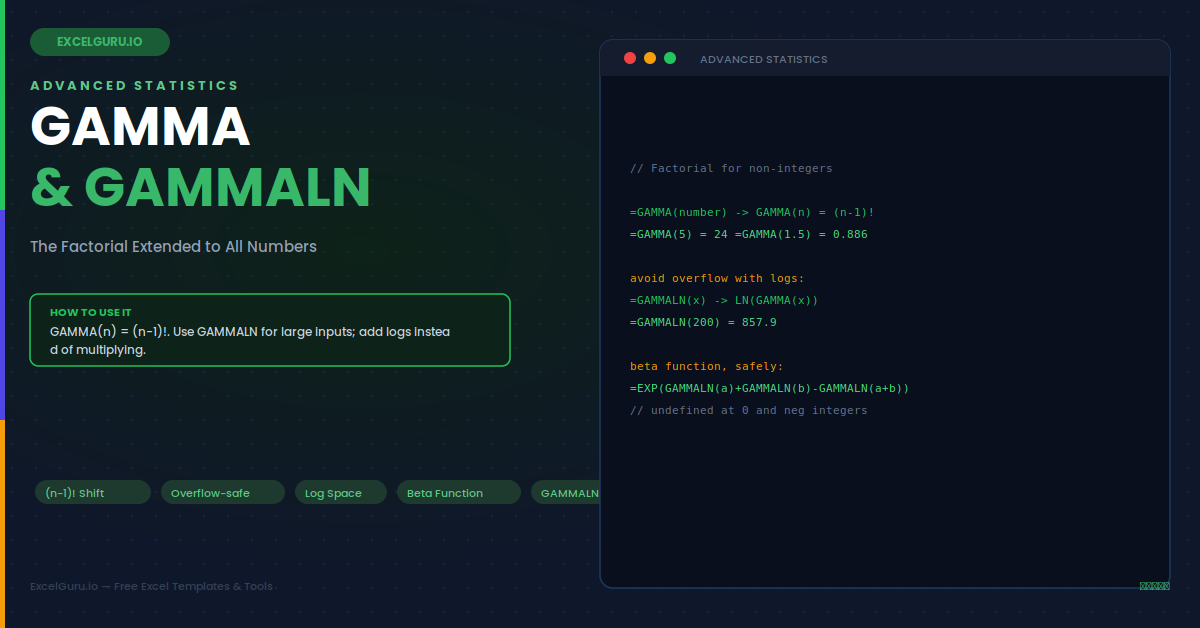
The factorial is a familiar friend. Five factorial is 120, and it counts arrangements neatly. But factorials only work on whole numbers. What is the factorial of 2.5, or of 0.5? A plain factorial simply cannot answer that. Yet advanced statistics needs exactly that. The gamma function answers it, extending the factorial to all positive numbers and beyond. Excel gives you GAMMA for the value and GAMMALN for its natural logarithm. The second version exists to handle huge numbers that would otherwise overflow.
This guide explains both functions in plain language. First, it shows how gamma generalises the factorial. Then it covers why GAMMALN is often the safer choice. Seven worked examples and a full troubleshooting section follow. By the end, you will use these advanced functions with a clear sense of purpose. You will also know when to reach for the log version instead.
How Gamma Extends the Factorial
In essence, the gamma function is a smooth curve through the factorial values. For whole numbers, it matches the factorial exactly. Between them, it fills in a continuous curve. The one quirk to remember is a shift of one. The infographic below shows the connection.
The key identity is simple but easy to trip over. GAMMA of n equals n minus 1 factorial. So GAMMA of 5 is 4 factorial, which is 24. Because of this shift, always subtract one when moving between the two ideas. The orange dots in the chart sit exactly on the green curve. This shows that gamma passes through every factorial value. Between those dots, it fills in a smooth path for fractional inputs.
Why GAMMALN Exists
Notably, gamma values grow astonishingly fast. GAMMA of 20 is already larger than a quintillion. Push a little further and Excel simply overflows. This is where GAMMALN steps in. It returns the natural logarithm of the gamma value, which stays manageable.
The Syntax
As with many functions, both take a single argument. GAMMA returns the value directly. GAMMALN returns its natural logarithm. Each is simple to write. The precise version, GAMMALN.PRECISE, adds extra accuracy for demanding work.
Example 1: Reproduce a Factorial
First, prove the identity. You can compute a factorial with GAMMA. Just remember the shift of one. This confirms how the two ideas connect. Seeing it once makes the offset stick in memory.
Example 2: The Factorial of a Fraction
Importantly, here is what GAMMA adds. It handles values FACT cannot. The factorial of one half is a famous result. It equals half the square root of pi. Such fractional factorials appear throughout probability theory. They are not mere curiosities, since many continuous distributions depend on them directly.
Example 3: Handle a Very Large Input
Next, see why GAMMALN matters. A large input makes GAMMA overflow. GAMMALN handles it with ease. It returns a modest log value instead. This lets you keep working when raw values explode. Advanced models rely on this constantly. Without it, many calculations would simply fail.
Example 4: Combining Terms in Log Space
In practice, statistics often multiplies several gamma values together. With large numbers, this overflows fast. The fix is to work with logs. You add the GAMMALN results, then convert back if needed. This is the everyday reason GAMMALN exists. It turns an impossible multiplication into a safe addition.
Example 5: The Beta Function
Similarly, the beta function appears in statistics and probability. It is built entirely from gamma values. Because those values can be large, you compute it with GAMMALN. This keeps the calculation stable. The beta function is central to the beta distribution. That distribution models probabilities and proportions between zero and one.
Example 6: A Combinations Cross-Check
For example, combinations count how many ways to choose items. Excel has COMBIN for this. However, for very large numbers, a gamma-log version avoids overflow. It computes the same count in log space. This matters in probability and statistics. There, combination counts can grow beyond normal limits.
Example 7: Guard Against Invalid Inputs
Note that gamma is undefined at zero and negative whole numbers. GAMMALN needs a strictly positive input. A short guard catches these before they error. This keeps a shared workbook clean and predictable. It also spares users from a confusing failure.
Troubleshooting GAMMA and GAMMALN
All three problems below are the most common. Each has a clear cause and a quick fix.
GAMMA returns a #NUM! error
Typically, there are two usual causes for this error. First, the input may be too large, because gamma values grow explosively and soon exceed what Excel can store. If your input is big, switch to GAMMALN, which returns the manageable natural logarithm instead. Second, the input may be zero or a negative whole number, where the gamma function is undefined and has no finite value. Check that your input is positive, or at least not a negative integer. Choosing GAMMALN for large inputs and avoiding the undefined points clears this error in almost every case.
The result is off by a factorial shift
Similarly, if your factorial answer seems shifted, you probably forgot the offset of one. The identity is GAMMA of n equals n minus 1 factorial, not n factorial. So to compute 5 factorial, you need GAMMA of 6, not GAMMA of 5. This single shift catches almost everyone at first. When reproducing a factorial with GAMMA, always add one to the number inside the function. Alternatively, use the dedicated FACT function for whole-number factorials, which needs no shift and is clearer for simple cases.
Converting a GAMMALN result back overflows
However, if EXP of a GAMMALN result returns an error, the underlying gamma value is simply too large to represent. This is expected behaviour, not a bug. The whole point of GAMMALN is to keep such enormous numbers in a safe log form. When possible, keep your entire calculation in log space and only convert back at the very end, if the final answer is small enough. If the true value genuinely exceeds what Excel can store, report the log value itself, since the raw number cannot be shown.
Frequently Asked Questions
- What does the GAMMA function do in Excel?+Essentially, the GAMMA function extends the factorial to all real numbers, not just whole numbers. It follows the identity that GAMMA of n equals n minus 1 factorial, so GAMMA of 5 returns 24, which is 4 factorial. Unlike the FACT function, GAMMA also accepts non-integer inputs, so GAMMA of 1.5 returns about 0.8862. This makes it valuable in advanced statistics, where continuous versions of the factorial appear in distributions like the gamma, beta, and chi-square. You write it simply as =GAMMA(number). Keep in mind it is undefined at zero and at negative whole numbers, where it has no finite value.
- Why would I use GAMMALN instead of GAMMA?+Specifically, GAMMALN returns the natural logarithm of the gamma value rather than the value itself, which prevents overflow. Gamma values grow extremely fast, so even a moderate input like 200 produces a number far too large for Excel to store, causing a #NUM! error with GAMMA. GAMMALN of 200 returns a manageable value around 857 instead. Working in this log space lets you combine large terms by adding their logarithms rather than multiplying giant numbers. This is the standard technique in advanced statistics and probability, where formulas often multiply and divide several large gamma values that would otherwise overflow.
- How does GAMMA relate to the factorial?+Notably, GAMMA relates to the factorial through a shift of one: GAMMA of n equals n minus 1 factorial. So GAMMA of 5 gives 24, the same as 4 factorial, and GAMMA of 1 gives 1, the same as 0 factorial. This offset is the single most common source of confusion, because people expect GAMMA of 5 to equal 5 factorial. To reproduce a factorial of a whole number, add one to it inside GAMMA, or simply use the dedicated FACT function instead. The real advantage of GAMMA is that it also handles fractional and other non-integer inputs, which FACT cannot.
- When are these advanced functions actually useful?+In practice, GAMMA and GAMMALN appear whenever you work with continuous probability distributions or combinatorics involving large numbers. They underpin the gamma, beta, and chi-square distributions, all of which rely on the gamma function in their definitions. GAMMALN is especially valuable in Bayesian statistics and machine learning, where likelihood calculations multiply many terms that would overflow if computed directly. It also provides a safe way to compute large combinations without hitting the limits of COMBIN. For everyday spreadsheet work these functions rarely appear, but for advanced statistical modelling they are indispensable tools.