
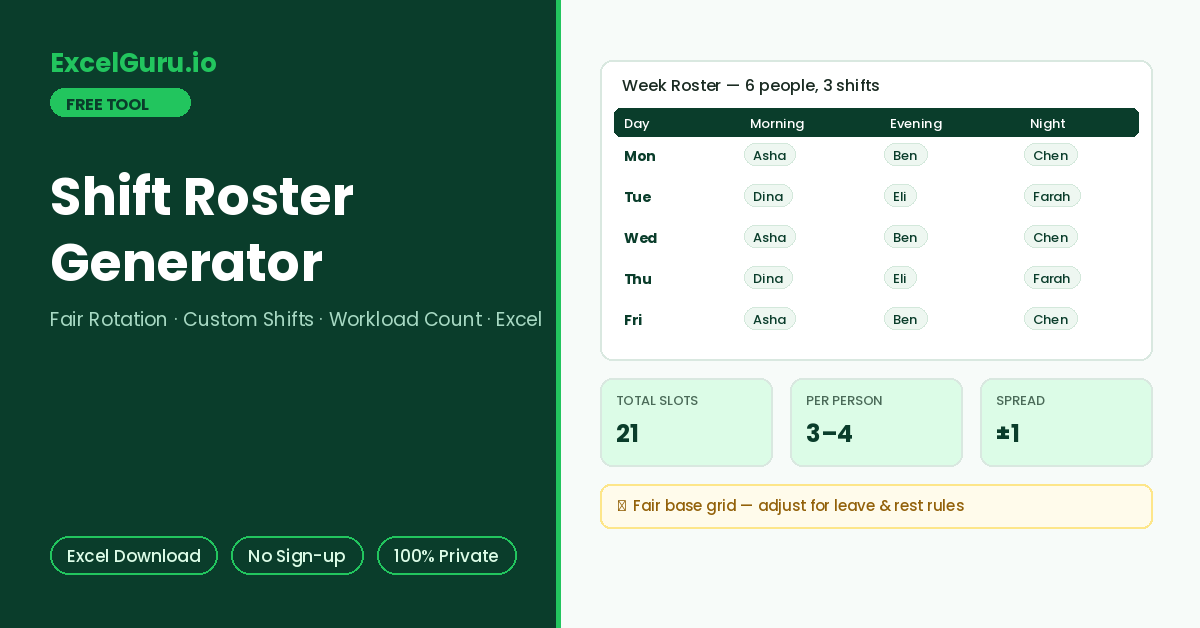
The day-by-day rotation grid and the per-person workload count appear here.
How to Use the Shift Roster Generator
Generate a fair rotating shift roster for a week or fortnight. Name your people and shifts, set coverage, and get a day-by-day grid where assignments rotate in strict sequence. The roster and workload count export as an Excel file.
Name people and shifts
Type employee names in rotation order and rename the shifts to match your operation — Morning/Evening/Night, Open/Mid/Close, or simply A/B/C. Any 2 to 30 people and 1 to 6 shifts work.
Set coverage and span
Choose 7 or 14 days, how many people each shift needs, the starting weekday, and whether weekends are covered. Coverage of 2 per shift doubles staffing without changing the fairness of rotation.
Review fairness and export
The grid shows who works each shift each day, and the workload table counts shifts per person — strict rotation keeps counts within one of each other. Download the Excel roster to share or refine.
Because assignment runs in strict sequence, the first names in the list get the first shifts of the period. Rotating the starting name each period spreads desirable and undesirable slots across the team over time. Simply move last week’s first person to the end of the list.
Shift Rotation Logic, Fairness Math, and Excel Formulas
How round-robin rotation works, the coverage math that says how many people you need, common rotation patterns, and the Excel formulas behind a roster sheet.
Round-robin rotation — the fairness engine
The generator walks one queue of names in order. Each shift slot takes the next name; when the list ends, it wraps to the start. Consequently, after a full cycle every person has worked every position in the pattern, and no one’s count can drift more than one shift from anyone else’s. This simple discipline is what makes the roster defensible when someone asks why they pulled two night shifts.
The coverage math before the roster
A 7-day roster with 3 shifts and 1 person per shift creates 21 slots. Six people means 3.5 shifts each — so half the team works 4 and half works 3, which the workload table makes visible. Running the same pattern with 5 people pushes everyone to 4–5 shifts, and with 4 people to 5–6. Deciding the acceptable per-person load first, then solving for team size, prevents the roster from quietly overworking a small team.
Common rotation patterns
Fixed-block patterns such as Panama suit 24/7 operations with 12-hour shifts, while fast sequential rotation suits smaller teams on 8-hour patterns. Occupational guidance generally favours forward rotation — morning to evening to night — because it works with the body clock rather than against it. The sequential output here rotates forward by construction.
Round-robin in a formula: with names in a list, slot number n gets =INDEX(Names,MOD(n-1,COUNTA(Names))+1). Per-person counts use =COUNTIF(RosterRange,Name), and conditional formatting with =COUNTIF(RosterRange,Name)>AVERAGE(counts)+1 flags overload. The exported file includes the grid plus a workload sheet computed this way.
What to adjust before publishing
A generated roster is a fair starting grid, not a finished schedule. Overlay four things before it goes out. Check approved leave and availability, plus skill or certification requirements per shift. Then apply legal rest rules — many jurisdictions mandate roughly 11 hours between shifts, critical at night-to-morning boundaries. Finally, apply pairing rules such as never rostering two trainees together. Additionally, publish with enough notice; several regions now have predictable-scheduling rules for shift workers.
Rest-period minimums, night-work limits, and scheduling-notice laws vary by country and sector, and this generator does not model them. Treat the output as the fair mathematical base, then edit the exported Excel for compliance, skills, and personal constraints before publishing.
Frequently Asked Questions
Common questions about shift rotation, fairness, patterns, and the Excel export.