
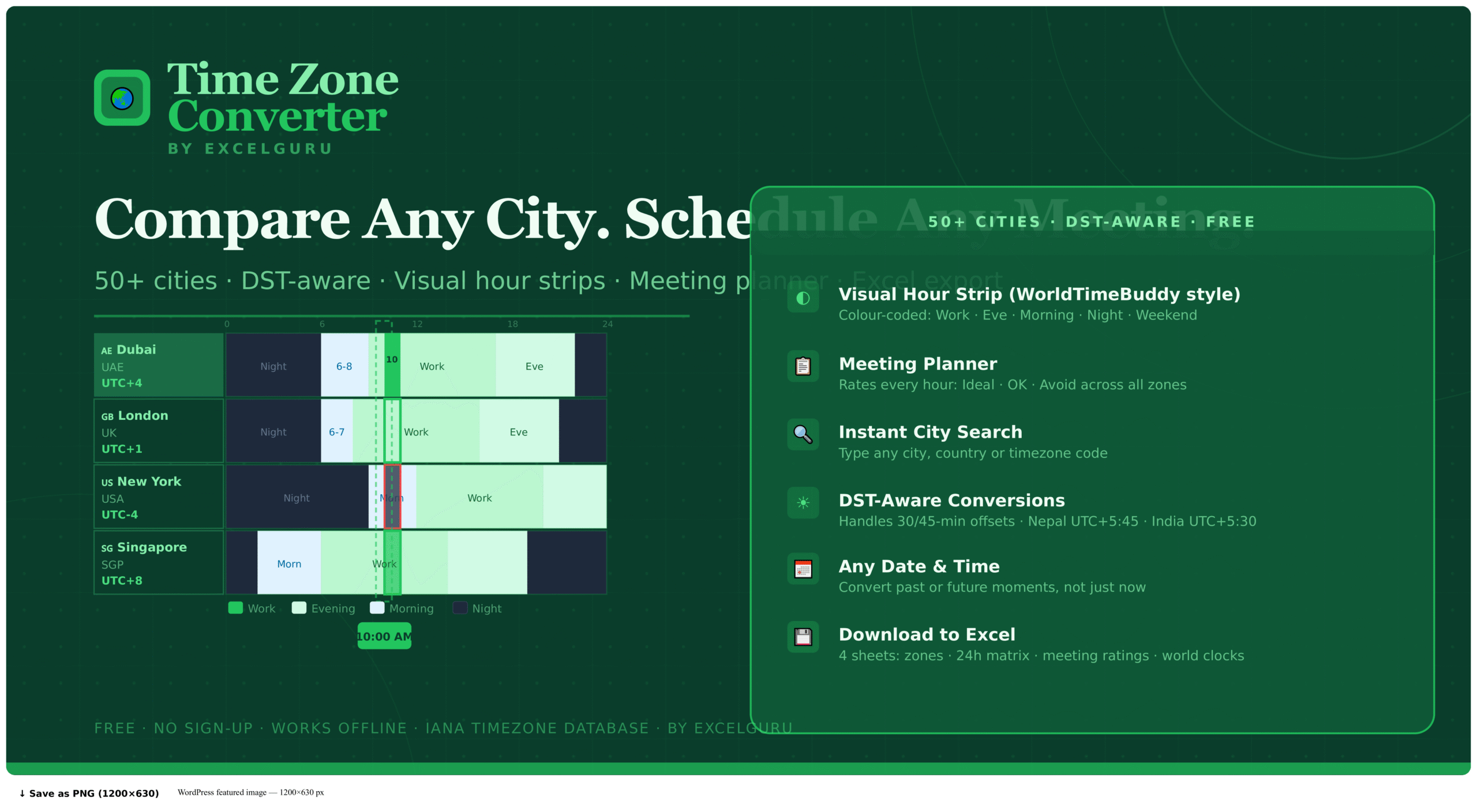
How to Use the Time Zone Converter
Compare up to eight time zones simultaneously, find the best meeting time for a global team, and export a full 24-hour comparison to Excel — all in one free browser tool with no sign-up required.
Set your reference time
The tool opens with your local timezone auto-detected. Set the date and time using the controls at the top, or click Now to lock to the current moment. Choose a base timezone from the dropdown if you want to anchor the conversion from a specific city rather than your local clock.
Add cities to compare
Type any city name or timezone code in the search bar and select from the dropdown — it shows the city name, timezone identifier, and current local time. Alternatively, click any world clock card at the bottom of the tool. Up to 8 zones can be compared simultaneously, and zones already added are marked to avoid duplication.
Use the hour strips and meeting planner
Hover any hour column in the colour-coded strips to see that exact time across all zones at once. Click a column to pin it — a detail panel shows the time in every zone for that specific hour. Below the strips, the meeting planner scores each hour as Ideal (green), OK (amber), or Avoid (red) based on working-hour overlap across all selected zones.
Export and switch formats
Toggle between 12h and 24h formats at any point. Click Excel to download a full comparison including the current time table, the 24-hour matrix, and meeting planner scores. Remove any zone with the × button on its label. The DST badge on any zone shows whether summer time is currently active in that location.
Rather than converting individual times manually, scan the hour strips horizontally — the columns where all (or most) rows show green or blue are your working-hours overlap windows. Dark rows mean night time in that city. This visual approach makes it immediately obvious which slots are viable without any mental arithmetic.
The Complete Guide to Time Zone Conversion
Why time zone conversion is more complex than simple addition, how DST transitions affect scheduling, and how to find the best meeting times for distributed teams across multiple continents.
Why time zone conversion is harder than it looks
Most people assume converting between time zones is simple arithmetic — add or subtract a fixed number of hours. In practice, three factors make this genuinely error-prone. Daylight Saving Time means that the offset between two cities changes twice a year, and not on the same date in every country: the UK and USA shift clocks on different Sundays in spring and autumn. Non-standard offsets such as UTC+5:30 for India, UTC+5:45 for Nepal, and UTC+9:30 for Australia's Northern Territory break the assumption that all time zones are whole-hour steps. Date rollovers add a further complication — a 9 AM Monday call in New York is already Tuesday in Singapore, not just a different hour on the same day.
This tool handles all three automatically using the IANA timezone database built into modern browsers — the same internationally maintained database used by operating systems, programming languages, and airline scheduling systems worldwide. Every offset, every DST transition, and every 30-minute or 45-minute edge case is resolved correctly without any manual calculation.
How DST affects scheduling
Daylight Saving Time is the single largest source of time zone scheduling errors. As an example, when the USA moves to summer time in March, the New York to London offset changes from 5 hours to 4 hours — because the UK has not yet changed its clocks. When the UK changes clocks two weeks later, the offset reverts to 5 hours. During those two weeks, any standing meeting scheduled at the same UTC time will land one hour later than usual for participants in New York.
Furthermore, not all regions observe DST at all. India, China, the UAE, Japan, and most of sub-Saharan Africa maintain a constant UTC offset throughout the year. This means that the offset between, say, Dubai and London is 4 hours in winter and 3 hours in summer — not because Dubai changes, but because London does. The DST badge in this tool shows which zones are currently on summer time, making these seasonal differences immediately visible.
Scheduling a recurring weekly meeting at "10 AM EST" is incorrect — EST is a fixed winter offset (UTC-5), while summer uses EDT (UTC-4). Saying "10 AM New York time" and using a tool that resolves the IANA identifier America/New_York is the correct approach. This tool uses IANA identifiers throughout to ensure seasonal accuracy.
Common time zone offsets and cities
| City | IANA Identifier | Standard Offset | DST? |
|---|---|---|---|
| New York | America/New_York | UTC-5 (EST) | Yes → UTC-4 (EDT) |
| Los Angeles | America/Los_Angeles | UTC-8 (PST) | Yes → UTC-7 (PDT) |
| London | Europe/London | UTC+0 (GMT) | Yes → UTC+1 (BST) |
| Dubai | Asia/Dubai | UTC+4 (GST) | No — constant |
| Mumbai / Delhi | Asia/Kolkata | UTC+5:30 (IST) | No — constant |
| Singapore | Asia/Singapore | UTC+8 (SGT) | No — constant |
| Tokyo | Asia/Tokyo | UTC+9 (JST) | No — constant |
| Sydney | Australia/Sydney | UTC+10 (AEST) | Yes → UTC+11 (AEDT) |
| Kathmandu | Asia/Kathmandu | UTC+5:45 (NPT) | No — unique 45-min offset |
How to find the best meeting time across time zones
Finding a viable meeting slot for a team spread across multiple continents often requires accepting that someone will be outside standard working hours. The meeting planner in this tool scores each hour of the day as Ideal (green — everyone within 9–17 working hours), OK (amber — partial overlap, one or more people in early morning or late evening), or Avoid (red — at least one participant in the middle of the night). Clicking any slot pins that time and shows the exact local time in every zone.
For a team spanning New York, London, and Singapore, for example, there is no truly ideal overlap — New York business hours (9 AM–5 PM EST) correspond to 2 PM–10 PM in London and 10 PM–6 AM in Singapore. The closest viable window is typically 9–10 AM New York / 2–3 PM London / 9–10 PM Singapore, which falls in the OK range. Seeing this visually in the colour-coded strips makes the trade-off immediately clear without manual calculation.
Key features of this time zone converter
Each city displays a full 24-hour horizontal timeline colour-coded by time of day: green for working hours (9–17), teal for evening (17–22), blue for morning (6–9), and dark for night (22–6). Weekend columns are greyed. Hover any column to highlight all zones simultaneously.
Every conversion uses the IANA timezone database built into the browser — the same database used by operating systems worldwide. Zones currently on summer time display a DST badge. Change the date and all offsets update automatically to reflect the correct seasonal rules for that date.
The meeting planner row scores every hour based on working-hour overlap across all selected zones. Green slots mean everyone is within standard business hours. Amber means partial overlap. Red means at least one participant would be awake in the middle of the night. Click any slot to see exact local times.
Twelve global cities are shown as live ticking clocks at the bottom of the tool, updating every second. Click any city card to instantly add it to the comparison strips. Cities already in the comparison are marked to prevent duplicates.
Use the date picker to convert any point in time — past or future. Planning a call for next quarter or verifying what time a past event occurred in a different city both work identically. The tool applies the correct DST rules for the selected date, not just today's offsets.
Download a CSV export with the current time in all selected zones, the full 24-hour matrix, and meeting planner scores. Entirely browser-based — no data is sent to any server. Works offline after the initial page load.
Frequently Asked Questions
Common questions about DST handling, half-hour offsets, meeting planning, and how the IANA timezone database works.