
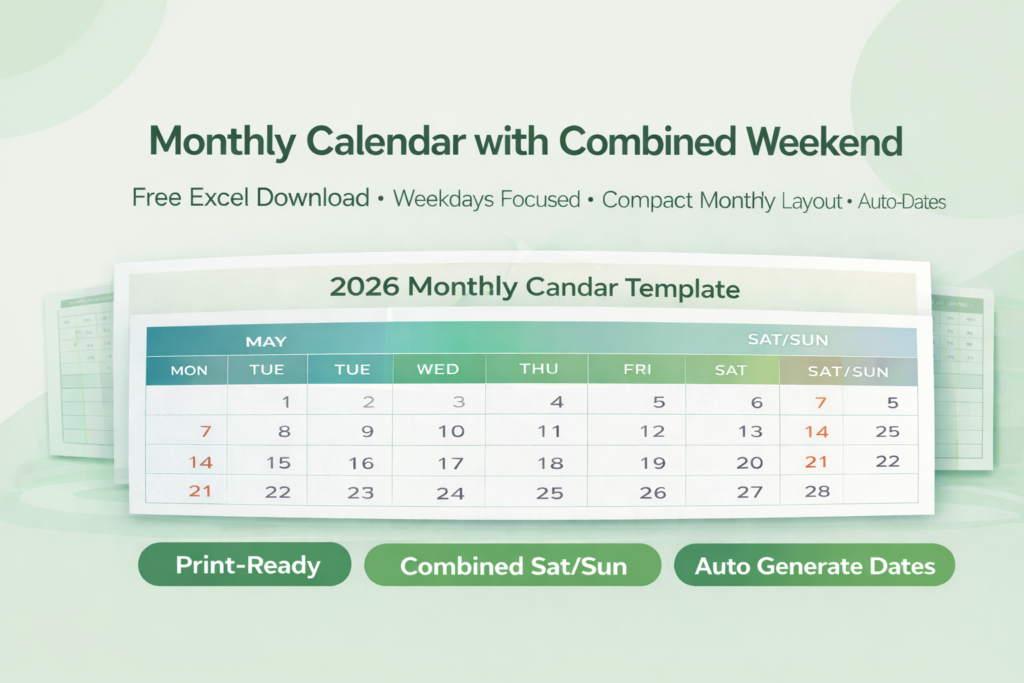
Managing monthly schedules efficiently often becomes challenging when weekends take up unnecessary space in traditional calendar layouts. This Monthly Calendar with Combined Weekend is designed to solve that problem by merging Saturday and Sunday into a single column. As a result, this monthly calendar excel template creates a more compact and space-efficient layout without losing clarity.
Moreover, this template is built using Excel formulas that automatically generate dates and align them correctly. Therefore, you do not need to manually adjust the calendar each month. Whether you are planning work schedules, tracking tasks, or organizing events, this printable monthly calendar excel offers a cleaner and more functional approach to time management.
Check out Calendar Suite by ExcelGuru.
Key Features of the Monthly Calendar with Combined Weekend
To begin with, this excel monthly calendar template introduces a unique layout where weekends are combined into a single column. Because of this, you gain additional horizontal space for weekdays, which makes it easier to plan detailed activities. This structure works especially well for professional environments where most work happens during weekdays.
In addition, the template automatically generates all dates using Excel formulas. As a result, when you change the month or year, the entire calendar updates instantly. Furthermore, the layout is optimized for printing, which ensures that you can use it for office planning, team scheduling, or personal organization without any formatting issues.
Another important feature of this monthly planner excel template is its simplicity. The template requires minimal input, yet it delivers a structured and visually clean output. This makes it suitable for both beginners and advanced Excel users.
How This Monthly Calendar Excel Template Works
This excel calendar auto date template uses a combination of Excel functions such as DATE, WEEKDAY, and conditional logic to dynamically generate the calendar grid. Once you input the month and year, the template automatically positions all dates in the correct weekday columns.
Because weekends are merged, the template intelligently places Saturday and Sunday within the same column while maintaining accurate date alignment. Therefore, you can still track weekend activities without compromising the overall layout. In addition, the template ensures that all formatting updates automatically, which eliminates the need for manual corrections.
Use Cases of Monthly Calendar with Combined Weekend
This monthly calendar excel template free download is highly effective for professionals who focus primarily on weekday tasks. For example, corporate teams can use it to plan meetings, deadlines, and deliverables while keeping weekends compact and less distracting. Because of its structure, it improves focus on high-priority workdays.
Similarly, freelancers and consultants can use this template to organize client work and project timelines more efficiently. Educational institutions can also benefit from this monthly planner excel template, especially when scheduling classes and assignments that mainly occur during weekdays.
In addition, this template works well for personal productivity planning. Whether you are managing habits, tracking goals, or organizing daily tasks, the combined weekend format provides a cleaner and more focused layout.
Why Use a Combined Weekend Calendar Format
Traditional calendars allocate equal space to all days, even though weekends often require less planning. On the other hand, a combined weekend calendar excel format optimizes space by merging Saturday and Sunday into one column. Because of this, you can allocate more room for weekdays where most activities occur.
Furthermore, this structure improves readability and reduces clutter. As a result, you can quickly scan your schedule and identify important tasks without distraction. Therefore, using a monthly calendar with combined weekend enhances both productivity and clarity.
Structure of the Monthly Calendar Excel Template
The template follows a simple and intuitive layout. It includes an input section where you define the month and year. Based on these inputs, the excel monthly calendar template automatically generates the full calendar grid.
In addition, the template maintains consistent alignment for weekdays while intelligently merging weekend dates. The layout is designed to remain clean and readable, which makes it suitable for both digital use and printing. Because of this, you can seamlessly integrate it into your workflow.
Benefits of Using This Monthly Planner Excel Template
One of the biggest advantages of this monthly planner excel template is its ability to maximize space efficiency. By combining weekends, it allows you to focus more on weekdays where most work happens. As a result, your planning becomes more structured and effective.
Additionally, the template reduces manual effort by automating date generation. You can reuse it every month by simply updating the inputs. Moreover, it improves productivity by providing a clean and distraction-free layout that supports better time management.
Most importantly, this printable monthly calendar excel adapts to both personal and professional use cases, which makes it a versatile tool for anyone looking to improve their planning system.
Download Monthly Calendar with Combined Weekend
Now that you understand how this monthly calendar with combined weekend can improve your planning efficiency, you can start using it immediately. Download the template, customize the inputs, and organize your monthly schedule with clarity and precision.