
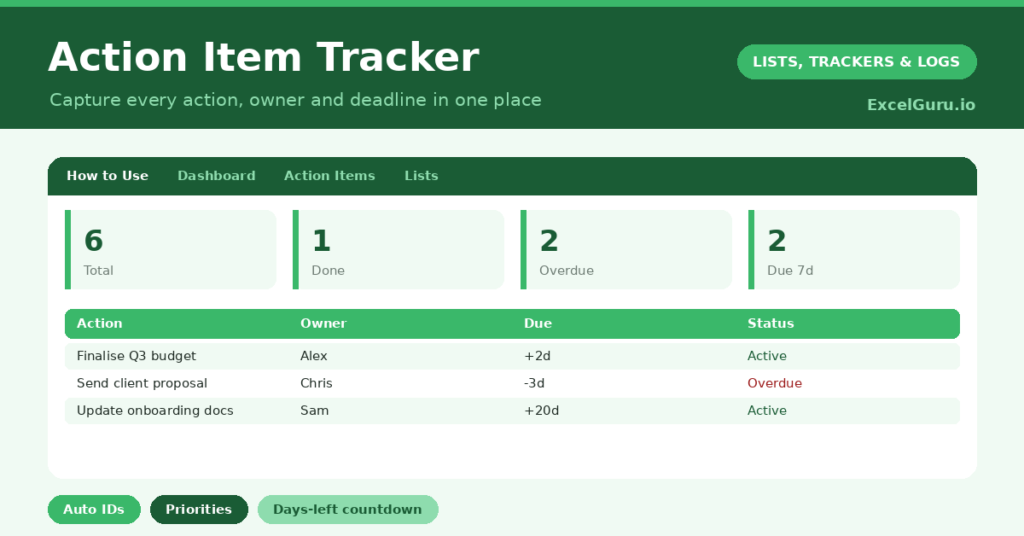
An action item tracker is what stops the good intentions from a meeting evaporating the moment everyone leaves the room. Tasks get agreed, nods are exchanged, and then nothing happens because no one wrote down who owns what. So a single place for every action is the difference between talk and progress.
This free template captures each action with an owner, a priority and a due date. So it generates an ID automatically and counts down to each deadline. As a result, nothing slips through the cracks, and you always know what needs doing next.
What does the action item tracker include?
The template is one action list feeding a clear dashboard. Dropdowns keep priorities and statuses tidy. In short, you get the following:
- An action table with an auto-generated ID, the action, owner, priority, due date, status and days left.
- An automatic Days Left countdown that clears once an action is marked done.
- Drop-down lists for priority and status, so entries stay consistent.
- Colour-coded statuses, so open, in-progress, done and blocked items stand out.
- A dashboard showing total actions, those done and in progress, overdue work, open items and actions due within seven days.
Which formulas power the action item tracker?
Two formulas do the housekeeping. Each ID is generated with =IF(Action=””, “”, “AI-“&TEXT(ROW()-3, “000”)), so every action gets a clean reference like AI-001 without any typing.
The Days Left column is =IF(OR(Due=””, Status=”Done”), “”, Due – TODAY()), so it counts down to each deadline and blanks out once the work is finished. On the dashboard, a SUMPRODUCT flags overdue actions, and another counts those due within seven days. So your most urgent work is always front and centre.
Why use an action item tracker?
Accountability is the whole point. When every action has a named owner and a visible deadline, the vague “someone should do that” simply disappears. So tasks get done because someone is clearly responsible for them.
It also gives you a single source of truth. Instead of actions scattered across emails, notebooks and memory, they live in one place everyone can see. The priority column then helps you focus, so the important work rises above the merely urgent. In short, the tracker turns a pile of commitments into a managed, prioritised list.
What does the dashboard reveal?
The dashboard answers the question that matters most each day: what needs my attention now? The overdue count is the first thing to check, since nothing should be sitting there. The due-within-seven-days count is your near-term focus.
The in-progress and open counts then show the shape of the work still ahead. Because it all updates automatically, a single glance tells you whether you are on top of things or sliding behind. So the dashboard saves you from scanning the whole list to find what is pressing. It keeps you ahead of the workload.
How do you run it day to day?
Capture actions the moment they arise, whether in a meeting or on the fly. So nothing relies on memory. Give each one a single owner and a realistic due date, because shared ownership tends to mean no ownership at all.
Then update the status as work moves from open to in progress to done. Check the dashboard each morning, and clear your highest-priority and overdue items first. Because last week’s actions stay visible, follow-through becomes a habit rather than an afterthought. In short, a quick daily glance keeps everything moving.
How do you customize it?
Edit the priorities and statuses on the Lists tab to match how you work, adding a Waiting on status for delegated tasks if you like. Additionally, you can add columns for the project an action belongs to, the date it was raised, or a link to related notes. A column for the meeting an action came from is useful for teams. The template adapts to a solo to-do list or a whole team’s workload.
What mistakes should you avoid?
The first mistake is assigning an action to a group rather than a person, which dilutes responsibility until no one acts. So give every action a single owner. The second mistake is letting statuses drift out of date, which makes the dashboard misleading.
A quick update as you go keeps the numbers honest. Finally, do not log actions without a due date. A task with no deadline is a task with no urgency, and it quietly sinks to the bottom of the list. A date, even a rough one, keeps it alive.
Frequently asked questions
How does the action item tracker generate IDs?
Each action gets an automatic reference like AI-001 from a formula based on its row, so you never assign IDs by hand and every action is easy to refer to in conversation.
Does it flag overdue actions?
Yes. A Days Left countdown turns negative once an action passes its due date, and the dashboard counts overdue actions separately, so slipping work is impossible to miss.
Can a whole team use it?
Yes. Keep the file in a shared location, give each action a single owner, and update statuses as work moves. Everyone then works from the same live list of what is done and what is late.
Capture every action, give it an owner and a date, and keep the statuses current. The dashboard then keeps overdue and urgent work in clear view. An action item tracker will not do the tasks for you, yet it makes sure every commitment is owned, visible and moving toward done.