
Starting a project without an action plan is like starting a road trip without a map. You might eventually get there — but you will waste time, miss turns, and run out of fuel at the worst possible moment.
An action plan converts a project goal into a structured list of tasks. Every task gets an owner, a phase, a priority, a start date, a due date, and an estimated cost. Nothing is forgotten because everything is written down. Nothing is duplicated because every task has a single owner.
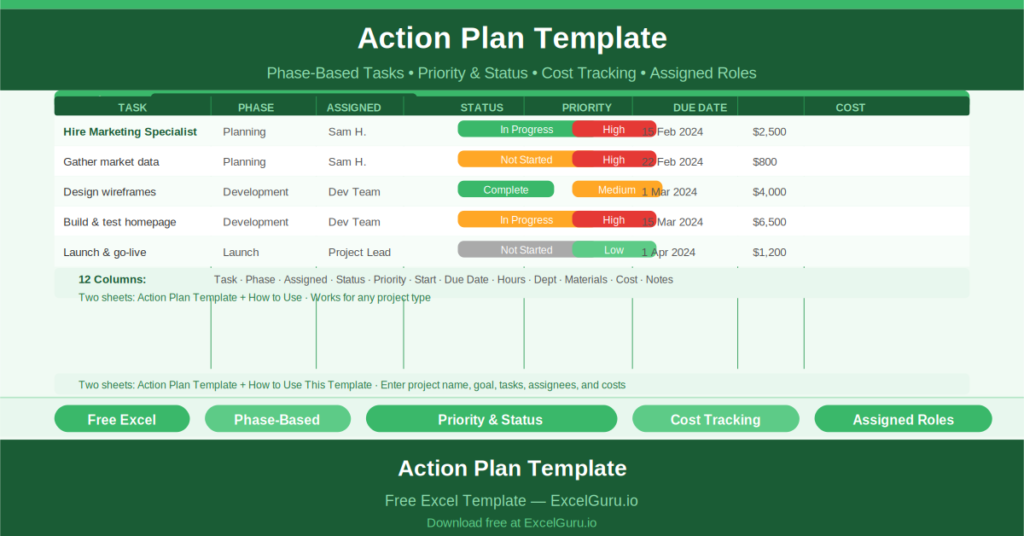
This free Excel Action Plan Template gives you a ready-to-use single-sheet planner for any project, built around a real sample — building a company website — so you can see exactly how it works before replacing the content with your own.
Try Agile Sales Plan Excel Template.
What Is the Action Plan Template?
The Action Plan Template is a free Microsoft Excel workbook with two sheets. The main sheet is the action plan itself. The second sheet, “How to Use This Template,” provides guidance for first-time users.
The template tracks one project at a time. The project name and goal appear at the top. Every task related to that goal occupies one row in the table. Tasks are grouped by phase, assigned to specific team members, and given a priority level, timeline, and cost estimate.
The 12-Column Task Structure
Every task row in the template captures twelve pieces of information:
- Task (Action Item): the specific work to be done
- Phase: where in the project lifecycle this task sits (Planning, Development, Launch, etc.)
- Assigned: the person responsible for completing the task
- Status: current progress (Not Started, In Progress, Complete, On Hold)
- Start Date: when work on the task begins
- Due Date: when the task must be completed
- Planned Hours: estimated effort in hours
- Timeline: how long the task is expected to take overall
- Department: which business function owns the task
- Materials Required: any resources needed beyond labor
- Cost: estimated or actual financial cost
- Notes: any additional context or dependencies
The sample project — Build a Website — demonstrates this with two Planning phase tasks: “Hire Marketing Specialist” (Sam H., High priority, 0.5 weeks, HR department) and “Gather Data” (Sam H., High priority, 0.5 weeks).
Why Phase-Based Planning Works
Organizing tasks by project phase — rather than by date or owner — gives teams a clear picture of where they are in the delivery journey. Planning phase tasks must finish before Development tasks begin. Development must close before Testing or Launch opens.
The Phase column in this template makes that sequencing explicit. When you filter or sort by phase, you immediately see which tasks are blocking the next phase from starting. Consequently, phase-based planning reduces the most common source of project delays: tasks that are not yet started because an earlier dependency has not been completed.
Priority, Status, and Accountability
The template’s Priority column uses three levels: High, Medium, and Low. Each task row is color-coded by priority, making it immediately clear which tasks need attention first when you open the sheet.
The Status column tracks progress at the task level. When every task has a named owner and a visible status, accountability becomes built into the workflow rather than dependent on a follow-up meeting.
Who Should Use This Template?
Project managers running multi-phase projects will use the template to break a project goal into tracked, assigned, costed tasks without needing a dedicated project management tool.
Small business owners and team leads launching products, campaigns, or operational changes will find the template immediately useful as a weekly planning and progress-review document.
Operations and HR teams coordinating cross-departmental activities will use the Department column to identify which teams own which tasks, making coordination and escalation straightforward.
How to Use the Template
Open the workbook. Replace the sample Project Name and Goal with your own. Clear the sample task rows and enter your project tasks one per row. For each task, complete all twelve columns. Group tasks by phase and assign owners.
Review the template weekly. Update the Status column as tasks progress. Add notes for any delays, dependencies, or changes. Share the file with the team or export it as a PDF for stakeholder reporting.
Download the free Action Plan Template and give every project task the owner, deadline, and priority it deserves.