
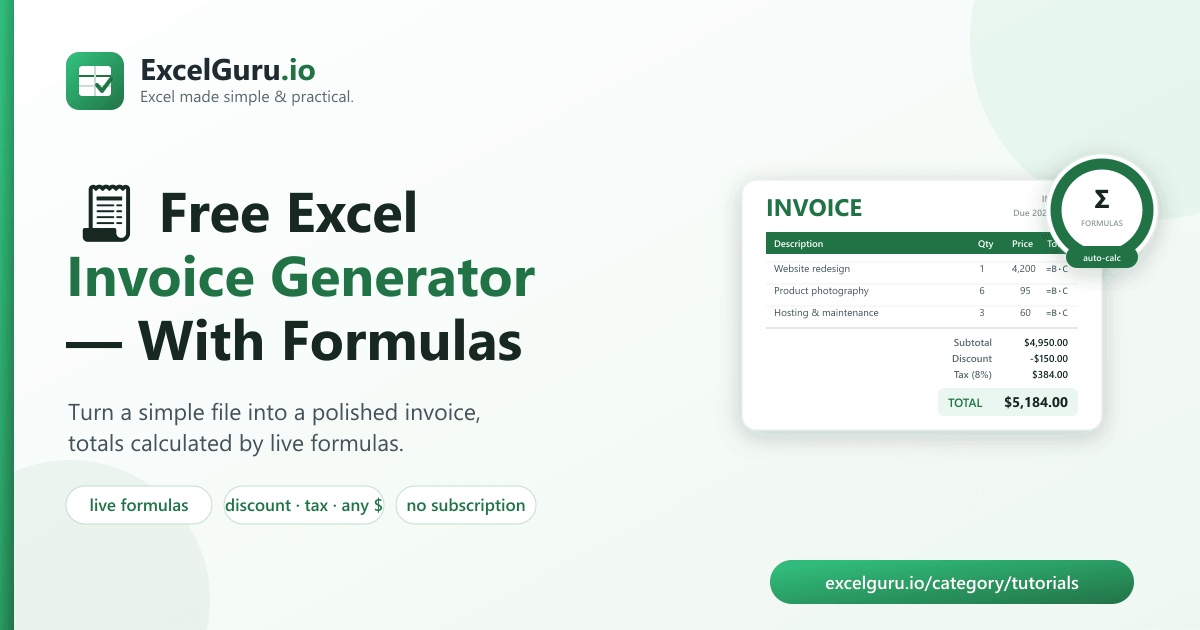
Excel Invoice Generator is a free, open-source tool that turns a small text file into a polished, ready-to-send Excel invoice — styled header, itemised lines with live formulas, subtotal, optional discount, tax, and grand total. No subscription, no watermark, no signup. Fill in the line items, run one command, and get a clean invoice you can email or print.
Key takeaways
- Invoicing apps charge monthly; a hand-built spreadsheet is easy to get wrong.
- This tool generates a consistent, professional invoice from a simple JSON file.
- The Excel output uses live formulas — line totals, subtotal, tax, and grand total recalculate if you tweak a cell.
- Supports discount, tax rate, any currency, and payment notes.
- Free, open-source (MIT), downloadable from GitHub.
The invoicing problem for small businesses
If you're a freelancer or run a small business, you invoice constantly — and you have two mediocre options.
Pay for an invoicing app (a monthly fee for something you use a few times a month), or build invoices by
hand in Excel. The hand-built route feels free, but it's where mistakes live: a wrong total because you
forgot to update a SUM, tax applied to the wrong base, inconsistent formatting from copy-
pasting last month's file. On a document whose whole job is to state the correct amount owed, those errors
are embarrassing and costly.
The better path is a generator: describe the sale once in a small structured file, and let the tool produce a correct, consistent, professional invoice every time.
What makes the output professional
| Feature | What you get |
|---|---|
| Clean layout | From / Bill-To blocks, invoice number, date and due date, notes. |
| Live formulas | Each line total is =Qty×Price; the subtotal is a real =SUM(); the grand total recalculates in Excel. |
| Discount & tax | Optional flat discount and a tax rate, applied in the right order. |
| Any currency | Set the symbol and the number formatting follows. |
| On-brand styling | Green header, borders, gridlines off, sized columns. |
Because the invoice is defined by a small file you can keep in version control, it's fully repeatable: duplicate last month's, change the line items, re-run. No fiddling with cells, no drift.
How to download & set up (about 1 minute)
Free and open-source on GitHub. You'll need Python 3.9+.
- Download the code (or Code → Download ZIP on GitHub):
git clone https://github.com/Synth88Labs/excel-invoice-generator.git cd excel-invoice-generator - Install the one dependency (openpyxl, for writing Excel):
pip install -r requirements.txt - Edit the invoice file (copy
sample_data/invoice.json) and generate it:python invoice.py invoice.json -o INV-1001.xlsx
⬇️ Get Excel Invoice Generator on GitHub (free)
The invoice file
An invoice is just a short, readable JSON file — you only edit the parts that change:
{
  "invoice_number": "INV-1001",
  "date": "2026-08-22",
  "due_date": "2026-09-21",
  "currency": "$",
  "from": { "name": "Bright Web Studio", "email": "hello@brightweb.studio" },
  "to":   { "name": "Acme Retail LLC",  "email": "ap@acmeretail.com" },
  "items": [
    { "description": "Website redesign (fixed)",      "quantity": 1, "unit_price": 4200 },
    { "description": "Product photography (per hour)", "quantity": 6, "unit_price": 95 },
    { "description": "Monthly hosting & maintenance",  "quantity": 3, "unit_price": 60 }
  ],
  "tax_rate": 0.08,
  "discount": 150,
  "notes": "Payment due within 30 days. Thank you for your business!"
}
A worked example
python invoice.py sample_data/invoice.json -o INV-1001.xlsx

Excel Invoice Generator
  Invoice INV-1001 for Acme Retail LLC
  Line items: 3
  Subtotal: $4,950.00
  Discount: -$150.00
  Tax (8%): $384.00
  TOTAL:    $5,184.00
  Wrote INV-1001.xlsx
Three line items (4,200 + 6×95 + 3×60 = 4,950), minus a 150 discount, plus 8% tax on the 4,800 taxable base, gives a $5,184 total. The generated worksheet uses live Excel formulas, so if the client asks you to drop an hour of photography, you change one cell and the total updates itself — no recalculation by hand.
Who this is for
- Freelancers — send a clean, consistent invoice without a subscription.
- Small businesses & agencies — standardise invoices across the team.
- Contractors & consultants — itemise hours and fixed fees in one document.
- Anyone who wants correct totals guaranteed by formulas, not typed by hand.
Frequently asked questions
Is this invoice generator free?
Yes — open-source under the MIT license, free for personal and commercial use, with no watermark.
Does the invoice have working formulas?
Yes. Line totals are =Qty×Price, the subtotal is a real =SUM(), and the grand
total recalculates if you edit any figure in Excel.
Can I add tax and a discount?
Yes — set tax_rate (e.g. 0.08 for 8%) and an optional flat discount.
The discount is applied before tax.
Can I use my own currency?
Yes — set "currency" to any symbol and the number formatting follows.
Can I turn it into a PDF?
Open the generated .xlsx in Excel and use File → Save As / Export → PDF. The layout
is designed to print cleanly on one page.
How do I reuse it each month?
Copy the JSON file, update the line items and invoice number, and re-run — you get a consistent invoice every time.
Summary
Invoices don't need a monthly subscription or a fragile hand-built spreadsheet. Excel Invoice Generator turns a small file into a professional invoice with live formulas, discount, tax, and any currency — free and open-source. Download it, fill in your line items, and send a clean invoice in seconds.