
How to Build a Loan Amortization Schedule in Excel (Free Tool)
By The ExcelGuru Team · Published · Updated
Excel Loan & Amortization Schedule Generator is a free, open-source tool that turns any loan — mortgage, auto, personal, or EMI — into a complete month-by-month schedule in Excel. Give it the principal, interest rate, and term, and it shows the monthly payment, how much of each payment is principal vs. interest, the falling balance, the total interest you'll pay, and how much an extra payment saves you.
Key takeaways
- An amortization schedule shows exactly where every payment goes — principal vs. interest — for the life of a loan.
- Early on, most of your payment is interest; that's why loans cost so much.
- The tool reports the total interest and total paid — often eye-opening.
- Add an extra monthly payment and see the months and interest you save.
- Free, open-source (MIT), downloadable from GitHub.
What is a loan amortization schedule?
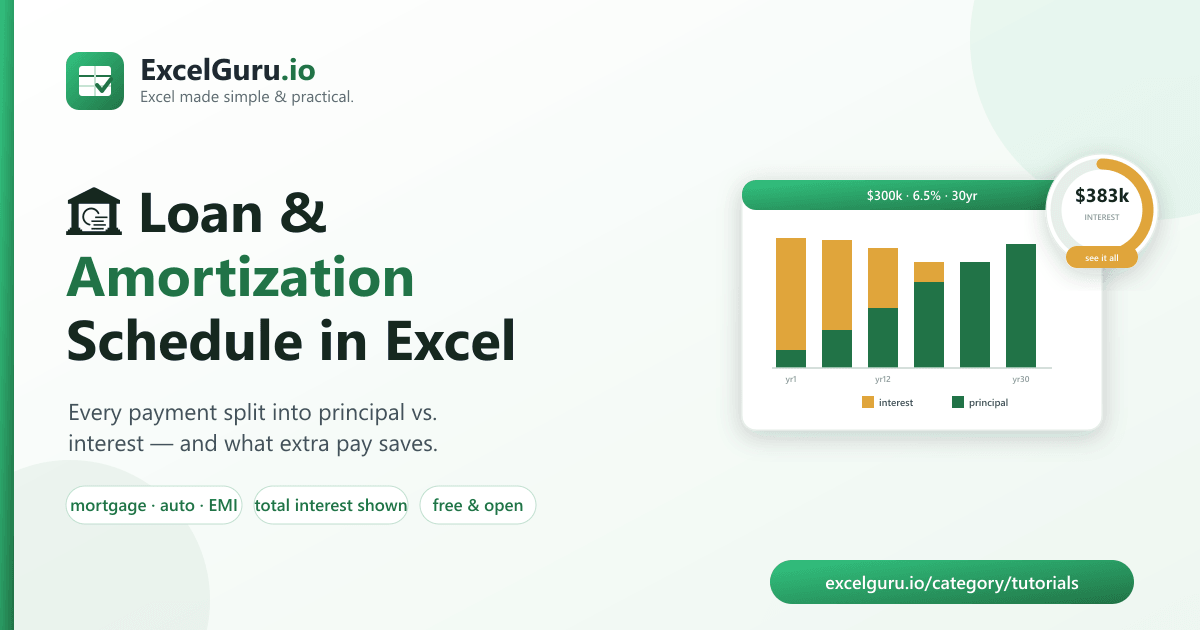
When you take a fixed-rate loan, you pay the same amount every month — but that payment is split between interest (the cost of borrowing) and principal (paying down what you owe), and the split changes every single month. Early on, the balance is large, so most of your payment goes to interest and barely dents the principal. As the balance shrinks, more of each payment attacks the principal. An amortization schedule is the table that lays this out, row by row, until the balance hits zero.
Why care? Because the schedule reveals the number lenders don't put in big print: the total interest. On a 30-year mortgage it can exceed the price of the house. Seeing it — and seeing how a small extra payment changes it — is the difference between guessing and actually understanding your loan.
What the tool calculates
| Output | What it tells you |
|---|---|
| Monthly payment | The fixed payment (the standard amortizing / EMI formula). |
| Per-payment split | Principal vs. interest for every single month. |
| Running balance | What you still owe after each payment, down to zero. |
| Total interest & total paid | The true lifetime cost of the loan. |
| Extra-payment savings | Months and interest saved by paying a little more each month. |
How to download & set up (about 1 minute)
Free and open-source on GitHub. You'll need Python 3.9+.
- Download the code (or Code → Download ZIP on GitHub):
git clone https://github.com/Synth88Labs/excel-loan-amortizer.git cd excel-loan-amortizer - Install the one dependency (openpyxl, for writing Excel):
pip install -r requirements.txt - Generate your schedule — principal, annual rate, and term:
python loan.py --principal 300000 --rate 6.5 --years 30 -o schedule.xlsx
⬇️ Get Excel Loan & Amortization Generator on GitHub (free)
--extra 100 to pay $100 more toward principal
each month. The tool recomputes the whole schedule and tells you how many months earlier the loan is gone
and how much interest you avoided. It's the single most valuable thing a schedule can show you.
A worked example
A 30-year, $300,000 mortgage at 6.5%:
python loan.py --principal 300000 --rate 6.5 --years 30 -o schedule.xlsx

Loan Amortization Schedule
  Principal: 300,000.00   Rate: 6.5%/yr   Term: 360 months
  Monthly payment: 1,896.20
  Total interest:  382,633.46
  Total paid:      682,632.00
  Wrote schedule.xlsx  (360 rows)
The payment is $1,896/month — but over 30 years you pay $382,633 in interest, more than the loan itself. Now watch what a small extra payment does on a $25,000 auto loan at 9%:
python loan.py --principal 25000 --rate 9 --months 60 --extra 100
# With 100.00/mo extra: paid off 11 months early, saving 1,243.93 in interest
An extra $100/month clears the loan 11 months early and saves $1,244. The full schedule (in Excel, with a Summary sheet) lets you see every payment and try your own numbers.
Who this is for
- Home buyers — understand the true cost of a mortgage before signing.
- Car & personal-loan borrowers — compare terms and see the interest.
- Anyone with debt — model how extra payments accelerate payoff.
- Students & educators — a transparent, checkable amortization model.
Frequently asked questions
Is this loan calculator free?
Yes — open-source under the MIT license, free for personal and commercial use.
Does it work for mortgages, car loans, and EMIs?
Yes. It uses the standard fixed-rate amortizing formula, which is the same math behind mortgages, auto loans, personal loans, and EMI schedules worldwide.
Can it show how much I'd save by paying extra?
Yes — add --extra AMOUNT and it reports the months and total interest saved.
What's the difference between principal and interest?
Interest is the cost of borrowing (a percentage of the outstanding balance). Principal is the part of your payment that actually reduces what you owe. The schedule shows both for every month.
Can I put dates on each row?
Yes — add --start-date 2026-09 and each payment is labelled with its calendar month.
What does it output?
A formatted Excel file with a Summary sheet (payment, total interest, savings) and a full Schedule sheet with principal, interest, and balance for every payment.
Summary
A loan is easy to sign and hard to understand — until you see the amortization schedule. Excel Loan & Amortization Generator turns any loan into a clear month-by-month schedule, shows the true total interest, and proves how much an extra payment saves, free and open-source. Download it and see what your loan really costs.