
A project estimate that arrives as a rough verbal quote loses work. A project estimate that arrives as a clear, itemized, phase-by-phase document wins it. The difference is not the quality of the work — it is the professional presentation of the price.
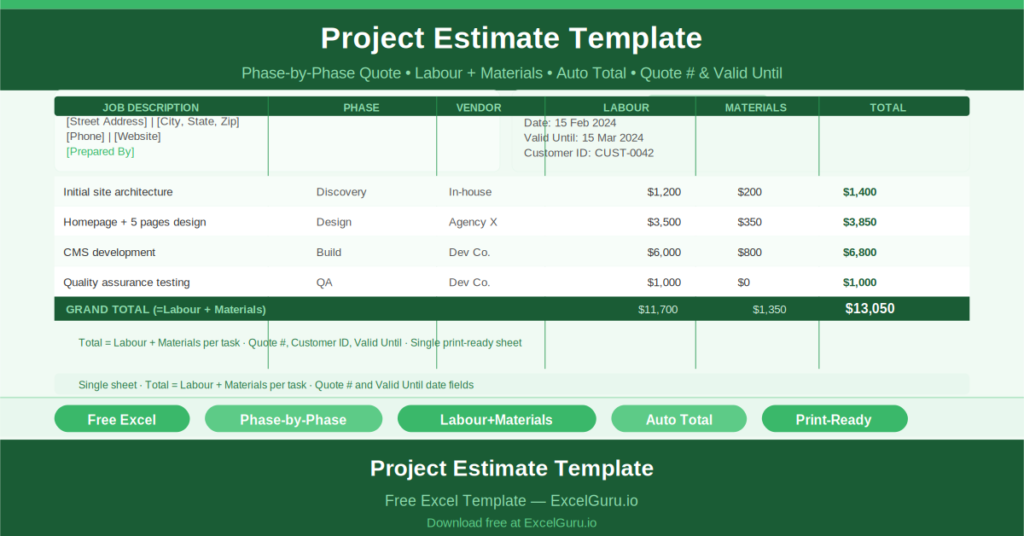
This free Excel Project Estimate Template gives you a structured, print-ready estimate document that organizes costs by project phase and vendor, calculates task totals automatically, and presents the full scope in a format any client can read and sign.
Explore Quote Builder Online Tool for your project estimate.
What Is the Project Estimate Template?
The Project Estimate Template is a free Microsoft Excel workbook with a single sheet. It combines a company and client identity section with a phase-by-phase cost breakdown table, producing a complete estimate document ready to print or export as a PDF.
Header fields identify the company (name, address, phone, website) and the client (name, company, address, contact). Reference fields include the Quote number, Customer ID, date, and a valid-until date.
The Phase-by-Phase Cost Table
The main cost table organizes estimates by project phase. Each row captures:
- Job Description: what the task involves
- Project Phase: which phase of delivery it belongs to
- Vendor/Contractor: who is performing the work
- Labor: the labor cost for the task
- Materials: the materials cost
- Total: auto-calculated as Labor + Materials using =C21+D21
- Notes: any conditions, assumptions, or clarifications
The sample data shows two tasks: one at $15 labor + $30 materials = $45, and a second task with similar structure. The Total column formula eliminates manual arithmetic and ensures every line is accurate.
Quote Header and Client Fields
The estimate template presents like a professional quote document. The company name and address appear in the top-left. The client’s name, company, address, and contact details appear in the top-right. The Quote number provides a reference for both parties to track the document through approval and contract stages.
The valid-until date is particularly important for project estimates. Material costs change. Labor rates change. Contractor availability changes. A clearly stated validity period manages client expectations and protects the estimating party from being held to outdated figures.
Who Should Use This Template?
Contractors and project managers submitting formal estimates to clients for construction, IT, creative, or professional services projects will use the template to present costs in a structured, credible format.
Freelancers who currently quote informally will use the template to upgrade their client-facing documents to a professional standard that increases win rates.
Procurement teams comparing vendor quotes will appreciate receiving estimates in this structured format — it makes side-by-side comparison of phase costs and vendor rates straightforward.
How to Use the Template
Open the workbook. Replace all bracketed placeholders with your company and client details. Enter the Quote number, Customer ID, and dates. For each task in the project, enter the job description, phase, vendor, labor cost, and materials cost. The Total column calculates automatically. Review the grand total and export as a PDF to send to the client.
Download the free Project Estimate Template and submit every quote with the professional presentation it deserves.