
Hours are easy to record and surprisingly easy to get wrong. A few miscounted overtime hours can quietly inflate or shortchange a paycheck.
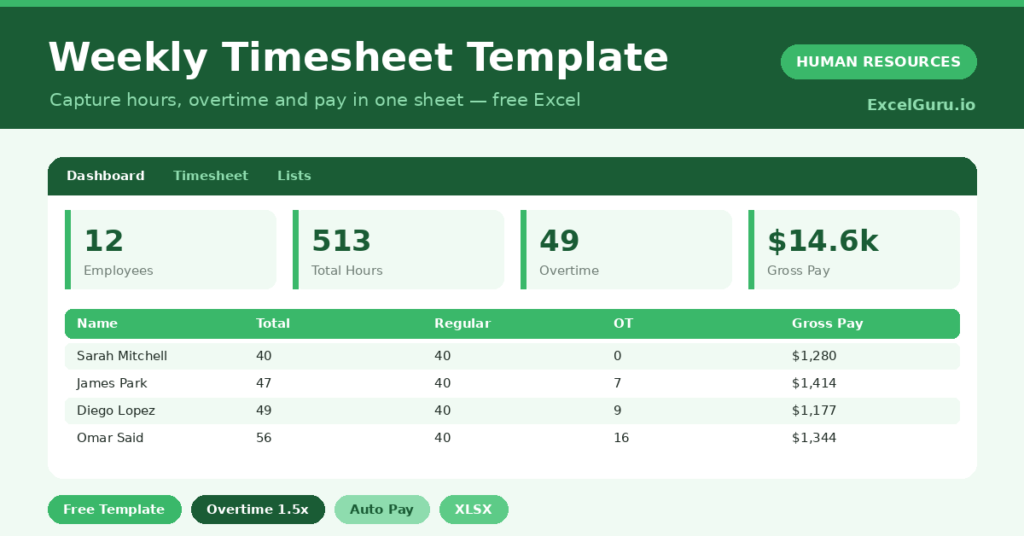
This free weekly timesheet removes the doubt. You enter daily hours, and the sheet works out regular time, overtime and gross pay. You will also find realistic sample data already inside the file. Therefore, you can explore every formula, dropdown and chart first, and then replace the samples with your own records in minutes. Below, we explain the formulas, the workflow, and how to adapt the timesheet to your own rules.
What Is a Weekly Timesheet?
A weekly timesheet records the hours each employee works on each day. It then totals those hours and splits them into regular and overtime.
From the hourly rate, it calculates gross pay for the week. As a result, payroll starts from clear, consistent numbers.
Why Does Time Tracking Matter?
Hours drive pay, billing and capacity planning, so errors are expensive in every direction. Underpaying breaks trust, while overpaying erodes margin.
A clear timesheet protects everyone. Therefore, employees are paid correctly and you control your labour cost. It also reveals who is consistently working overtime and may be overloaded.
Why Use This Template?
A solid timesheet makes payroll painless. In particular, this one helps you:
- Capture daily hours for each employee.
- Split regular and overtime hours automatically.
- Calculate gross pay with an overtime premium.
- Total hours and pay across the team.
- Spot excessive overtime before it becomes a problem.
What’s Inside the Template?
The workbook has four tabs:
- How to Use — a built-in guide.
- Dashboard — hours, overtime and pay KPIs.
- Timesheet — one row per employee for the week.
- Lists — the overtime reference notes.
What Formulas Does the Template Use?
The timesheet uses dependable Excel formulas:
| Formula | What it does |
| =SUM(Mon:Sun) | Calculates total hours for the week. |
| =MIN(40, Total Hours) | Calculates regular hours up to 40. |
| =MAX(0, Total Hours – 40) | Calculates overtime hours above 40. |
| =Regular*Rate + Overtime*Rate*1.5 | Calculates gross pay with the overtime premium. |
| =SUM(Gross Pay) | Totals the weekly payroll. |
How Do You Use the Template?
Using it is quick. Simply follow these steps:
- Open the Timesheet tab and list your employees.
- Enter hours for each day from Monday to Sunday.
- Add the hourly rate for each person.
- Let total, regular and overtime hours calculate.
- Read the gross pay for the week.
- Review total hours and pay on the Dashboard.
What Are the Best Use Cases?
The timesheet fits many teams, such as:
- Small businesses running weekly payroll.
- Hourly and shift-based workforces.
- Agencies billing client hours.
- Managers monitoring overtime.
- Finance teams forecasting labour cost.
How Can You Modify the Template?
You can tailor it freely. To change the overtime rule, edit the 40-hour threshold or the 1.5 multiplier to match your policy.
You can also add columns for breaks or a project code if you bill by client.
Moreover, the sheet covers 40 employees by default, and you can copy the formula row downward for more.
What Mistakes Should You Avoid?
A few habits weaken the timesheet. Therefore, avoid these common mistakes:
- Entering hours from memory at week end.
- Forgetting to set the hourly rate, which zeroes pay.
- Applying the wrong overtime threshold for your region.
- Ignoring repeated heavy overtime on one person.
Tips to Get the Most From It
- Enter hours daily for accuracy.
- Confirm your overtime rules match local law.
- Use the overtime chart to manage cost and workload.
- Keep a copy per week for a clean payroll history.
Frequently Asked Questions
How is overtime calculated?
Hours up to 40 a week count as regular. Anything above 40 is overtime, paid at 1.5 times the hourly rate. You can change both figures to match your rules.
Can I change the overtime threshold?
Yes. Edit the 40-hour figure and the 1.5 multiplier in the formulas to match your country or company policy.
Does it handle multiple weeks?
Each sheet covers one week. Copy the sheet for each week, or extend it if you prefer a fortnightly view.
Is the pay figure gross or net?
It is gross pay, before tax and deductions. Use it as the basis for your payroll calculation.
Does it work in Google Sheets?
It does, with minor adjustments to formatting after importing.
Download the Template and Get Started
Accurate hours mean fair pay and controlled cost. This timesheet delivers both from a few simple entries.
Download the Weekly Timesheet Template and simplify your payroll today.