
A new hire’s first weeks set the tone for everything that follows. Yet onboarding often runs on scattered notes and good intentions.
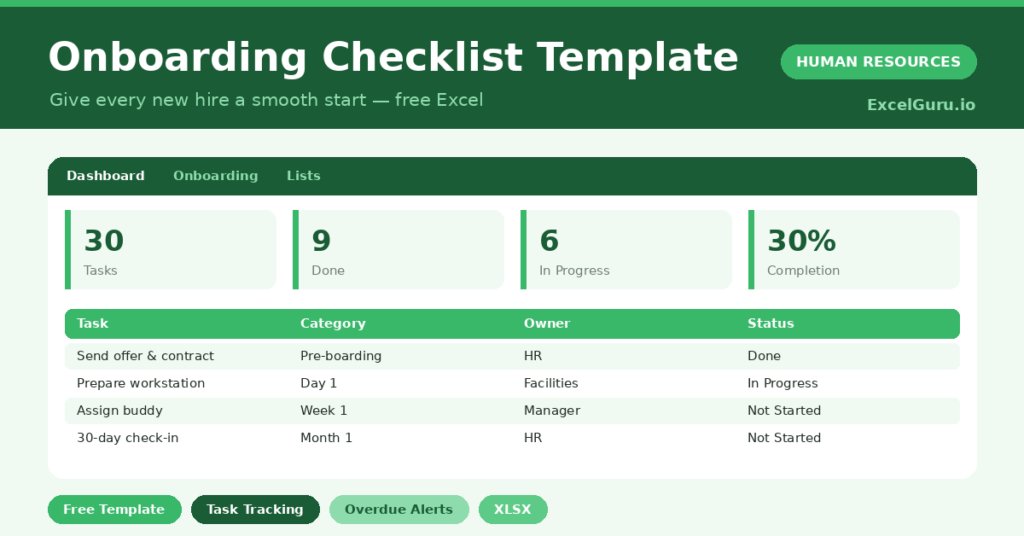
This free onboarding checklist makes the process repeatable. You list each task by stage and owner, and the sheet tracks progress and flags anything overdue. You will also find realistic sample data already inside the file. Therefore, you can explore every formula, dropdown and chart first, and then replace the samples with your own records in minutes.
Below, we explain the formulas, the workflow, and how to adapt the checklist to your own process.
What Is an Onboarding Checklist?
An onboarding checklist lists every task needed to bring a new hire up to speed. It spans pre-boarding, the first day, the first week and the first month.
Each task has an owner, a due date and a status. As a result, nothing important slips through during a busy first month.
Why Does Onboarding Matter?
Strong onboarding lifts retention, speed to productivity and morale. Weak onboarding does the opposite and is hard to recover from.
A checklist makes a good start the default, not the exception. Therefore, every new hire gets the same thorough welcome, regardless of how busy the team is. It also spreads the work clearly across HR, IT and the manager.
Why Use This Template?
A clear checklist makes onboarding consistent. In particular, this one helps you:
- Track every onboarding task in one place.
- Assign each task to a clear owner.
- Group tasks by stage, from pre-boarding to month one.
- Flag overdue tasks automatically.
- See completion progress for each new hire.
What’s Inside the Template?
The workbook has four tabs:
- How to Use — a built-in guide.
- Dashboard — completion, overdue and stage KPIs.
- Onboarding — one row per task per new hire.
- Lists — new hire, category, owner and status dropdowns.
What Formulas Does the Template Use?
The checklist uses dependable Excel formulas:
| Formula | What it does |
| =IF(Status=”Done”,”Done”,IF(Due<TODAY(),”Overdue”,”On Track”)) | Flags the progress of each task. |
| =COUNTIF(Status,”Done”) | Counts completed tasks. |
| =COUNTIF(Progress,”Overdue”) | Counts overdue tasks. |
| =Done / Total Tasks | Calculates the completion percentage. |
| =COUNTIF(Category, c) | Counts tasks in each stage. |
How Do You Use the Template?
Setup is quick. Just follow these steps:
- Open the Onboarding tab and pick the new hire.
- List each task with a category and owner.
- Set a due date for every task.
- Update the status as work progresses.
- Let the overdue flag and progress calculate.
- Review completion on the Dashboard.
What Are the Best Use Cases?
The checklist fits many teams, such as:
- Small businesses hiring without HR software.
- Managers welcoming a new team member.
- HR teams standardizing onboarding.
- IT teams tracking setup tasks.
- Anyone who wants a repeatable first week.
How Can You Modify the Template?
You can tailor it freely. To reuse it, copy the standard task list for each new hire and change only the names and dates.
You can also add owners or categories on the Lists tab to match your structure.
Moreover, the sheet covers 60 tasks by default, and you can copy the formula row downward for more.
What Mistakes Should You Avoid?
A few habits weaken the checklist. Therefore, avoid these common mistakes:
- Leaving tasks without a clear owner.
- Setting no due dates, which disables the overdue flag.
- Building the list fresh for every hire instead of reusing it.
- Ignoring overdue tasks during a busy first week.
Tips to Get the Most From It
- Reuse the same task list for consistency.
- Give every task one accountable owner.
- Set realistic due dates across the first month.
- Review the dashboard before each new hire starts.
Frequently Asked Questions
How does the overdue flag work?
A task is flagged Overdue when its due date has passed and its status is not Done. Therefore, attention goes straight to what is slipping.
Can I onboard several hires at once?
Yes. Each task row is tagged with a new hire, so you can track multiple people in the same sheet and still see each person’s progress.
How do I reuse the checklist?
Copy the standard task list for each new hire and update the names and due dates. This keeps every onboarding consistent.
Who should own each task?
Assign tasks to HR, IT, the manager or facilities as appropriate. Clear ownership is what keeps onboarding on track.
Does it work in Google Sheets?
It does, with minor adjustments to dropdowns and formatting after importing.
Download the Template and Get Started
A great first month is no accident; it is a checklist done well. This template makes that start repeatable for every hire.
Download the Onboarding Checklist Template and welcome your next hire properly today.