
A messy exit is more than awkward; it is a security and compliance risk. Forgotten access and unreturned assets can cost far more than the goodbye.
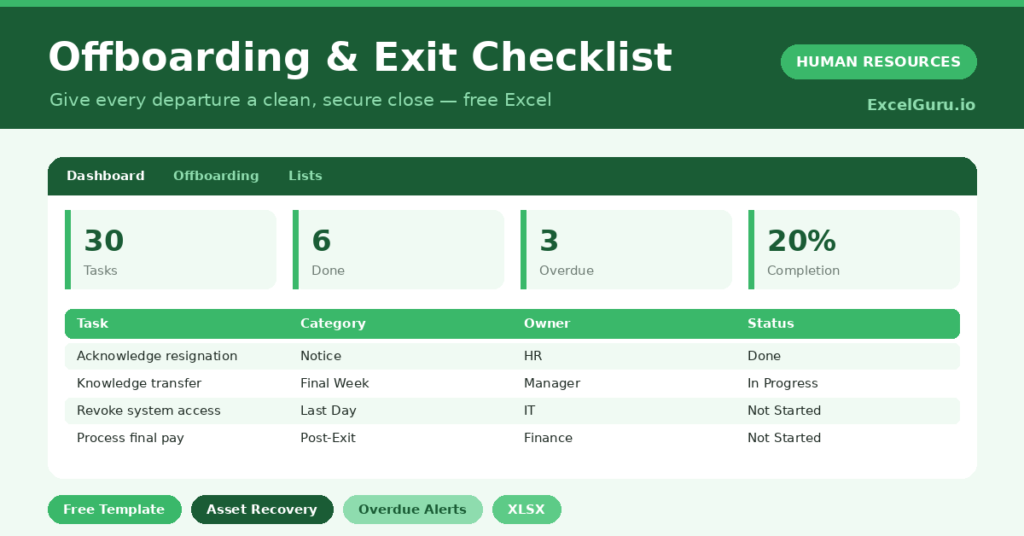
This free offboarding checklist makes every departure clean and consistent. You list each task by stage and owner, and the sheet flags anything overdue. You will also find realistic sample data already inside the file. Therefore, you can explore every formula, dropdown and chart first, and then replace the samples with your own records in minutes.
Below, we explain the formulas, the workflow, and how to adapt the checklist to your own process.
Also, Check out onboarding checklist template in Excel.
What Is an Offboarding Checklist?
An offboarding checklist lists every task needed to close out an employee’s departure. It spans the notice period, the final week, the last day and post-exit.
Each task carries an owner, a due date and a status. As a result, nothing critical is missed during a sensitive and busy time.
Why Does Offboarding Matter?
A poor exit leaves doors open, sometimes literally. Active accounts and unrecovered assets create real security and financial risk.
A structured process closes those doors reliably. Therefore, you protect data, recover property and part on good terms. A respectful exit also protects your reputation with people who leave and talk.
Why Use This Template?
A clear checklist makes exits safe and smooth. In particular, this one helps you:
- Track every offboarding task in one place.
- Assign each task to a clear owner.
- Group tasks by stage, from notice to post-exit.
- Flag overdue tasks automatically.
- Protect data by closing access on time.
What’s Inside the Template?
The workbook has four tabs:
- How to Use — a built-in guide.
- Dashboard — completion, overdue and stage KPIs.
- Offboarding — one row per task per leaver.
- Lists — leaver, category, owner and status dropdowns.
What Formulas Does the Template Use?
The checklist uses dependable Excel formulas:
| Formula | What it does |
| =IF(Status=”Done”,”Done”,IF(Due<TODAY(),”Overdue”,”On Track”)) | Flags each task’s progress. |
| =COUNTIF(Status,”Done”) | Counts completed tasks. |
| =COUNTIF(Progress,”Overdue”) | Counts overdue tasks. |
| =Done / Total Tasks | Calculates the completion percentage. |
| =COUNTIF(Category, c) | Counts tasks at each stage. |
How Do You Use the Template?
Setup is quick. Just follow these steps:
- Open the Offboarding tab and pick the departing employee.
- List each task with a category and owner.
- Set a due date for every task.
- Update the status as work progresses.
- Let the overdue flag and progress calculate.
- Review completion on the Dashboard.
What Are the Best Use Cases?
The checklist fits many teams, such as:
- Small businesses without HR software.
- Managers handling a team member’s exit.
- IT teams revoking access securely.
- Finance teams processing final pay.
- Anyone who wants a repeatable, safe exit.
How Can You Modify the Template?
You can tailor it freely. To reuse it, copy the standard task list for each leaver and change the names and dates.
You can also add owners or categories on the Lists tab to match your structure.
Moreover, the sheet covers 60 tasks by default, and you can copy the formula row downward for more.
What Mistakes Should You Avoid?
A few habits weaken the checklist. Therefore, avoid these common mistakes:
- Delaying access removal past the last day.
- Forgetting to recover laptops, badges and keys.
- Skipping the exit interview and its insights.
- Leaving final pay and benefits unresolved.
Tips to Get the Most From It
- Revoke access and recover assets on the last day.
- Run an exit interview to learn why people leave.
- Reuse the same task list for every departure.
- Confirm final pay and benefits are correct before closing.
Frequently Asked Questions
What is the difference between offboarding and a resignation?
A resignation is the employee’s decision to leave. Offboarding is the process you run to close out their employment cleanly and securely.
Why is revoking access so important?
Active accounts after departure are a serious data risk. Closing them on the last day protects your systems and customers.
Can I track several leavers at once?
Yes. Each task row is tagged with a departing employee, so you can manage multiple exits in the same sheet.
Should I keep exit records?
Yes. Retain the completed checklist and exit interview notes, since they support compliance and help you improve retention.
Does it work in Google Sheets?
It does, with minor adjustments to dropdowns and formatting after importing.
Download the Template and Get Started
How you say goodbye matters as much as how you say hello. This checklist makes every exit secure, complete and respectful.
Download the Offboarding & Exit Checklist Template and close your next departure cleanly today.