
A to-do list that lives in your head is a stress list. A to-do list that lives in a shared Excel file is a team delivery plan. The difference is visibility, accountability, and the ability to review progress at a glance.
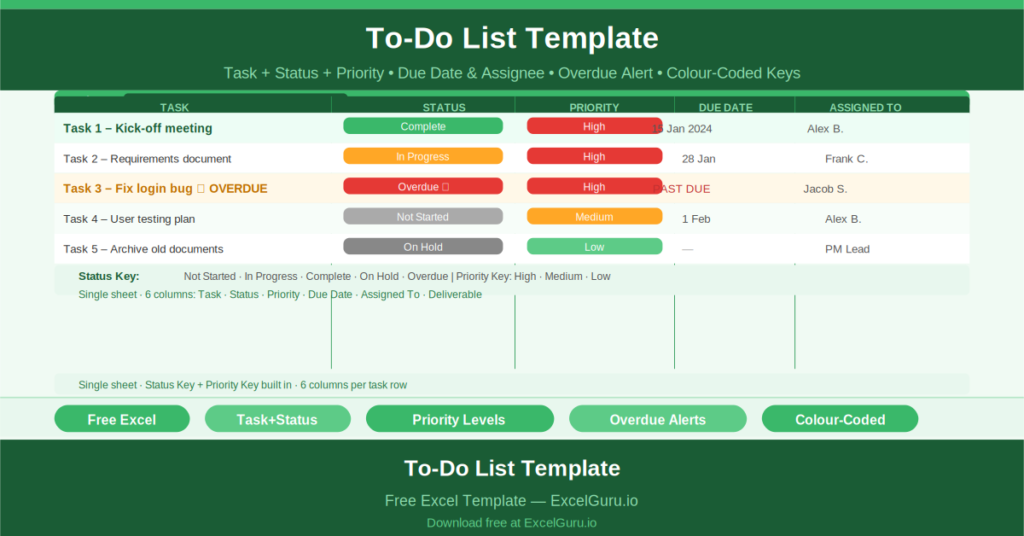
This free Excel To-Do List Template gives you a clean, structured task tracker with status, priority, due date, assignee, and deliverable fields — plus a color-coded status and priority key built directly into the sheet.
Check out checklist builder online for your project related work.
What Is the To-Do List Template?
The To-Do List Template is a free Microsoft Excel workbook with a single sheet. It tracks tasks across five fields: task name, status, priority, due date, assigned person, and deliverable.
The template is simple by design. Every row is one task. Every column captures one critical piece of information. The status and priority keys in the right margin explain the color-coding system to any new user without requiring a briefing.
The Six-Column Task Structure
Each task row captures:
- Task: the specific work to be done
- Status: Complete, In Progress, Not Started, On Hold, or Overdue
- Priority: High, Medium, or Low
- Due Date: when the task must be completed
- Assigned To: the person responsible
- Deliverable: the output or outcome expected from the task
The six sample tasks demonstrate all five status levels. Task 1: Complete, High priority. Task 2: Complete, High priority. Task 3: In Progress, High priority. Task 4: Overdue, High priority. Task 5: Not Started, Medium priority. Task 6: On Hold, Low priority.
Status and Priority Keys
The template includes two reference legends built into the right margin: a STATUS KEY and a PRIORITY KEY. The status key lists all five status options with their color codes. The priority key lists all three priority levels.
These legends serve two purposes. They ensure consistent data entry — everyone uses the same terms and colors. And they make the template self-explanatory to any new user or stakeholder who receives it.
From Personal Task List to Team Delivery Plan
The Assigned To column is what transforms a personal to-do list into a team delivery tool. When every task has a named owner, the list becomes a commitment register rather than a collection of intentions. Progress reviews become accountability conversations rather than status updates.
Who Should Use This Template?
Project managers who need a simple shared task list that the whole team can update without any training or tool access issues will find this template covers the core requirements.
Individual contributors managing a personal workload across multiple projects will use the template to maintain a prioritized task list with due dates and deliverables.
Small teams running sprint-style delivery without a full agile tool will use the template as a lightweight sprint board alternative.
How to Use the Template
Open the workbook. Clear the sample tasks. Enter your project tasks one per row. Set the Status, Priority, Due Date, Assigned To, and Deliverable for each. Update Status as tasks progress. Review the list in team meetings and stand-ups, focusing attention on Overdue and High Priority items.
Download the free To-Do List Template and give every task a status, an owner, and a due date — in one shared, visible document.