
Tracking project hours accurately is the foundation of fair pay, accurate billing, and realistic resource planning. A timesheet that relies on memory at the end of the week is a timesheet full of guesses.
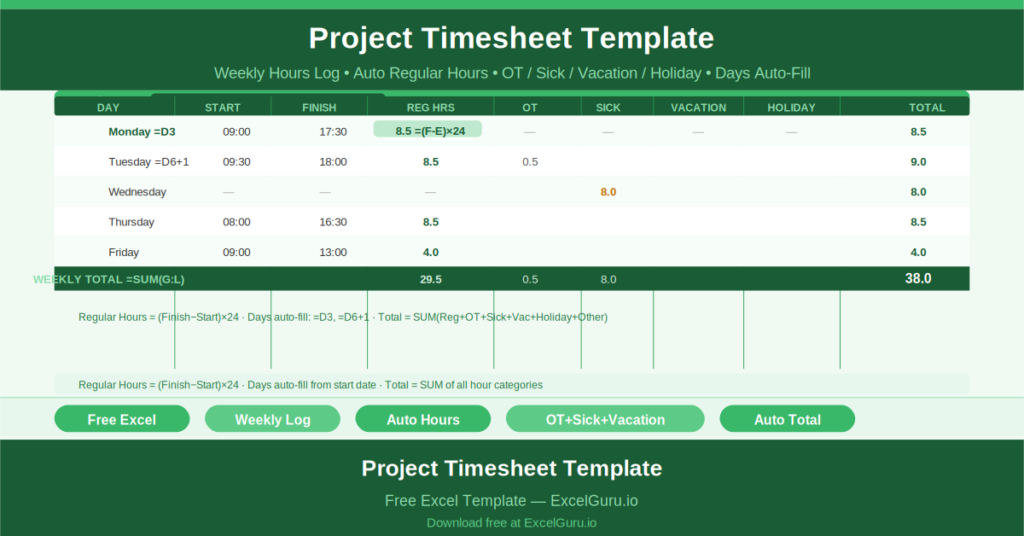
This free Excel Project Timesheet Template captures daily start and finish times for seven days, calculates regular hours automatically, and tracks overtime, sick, vacation, holiday, and other hours separately — with a daily total and weekly summary.
What Is the Project Timesheet Template?
The Project Timesheet Template is a free Microsoft Excel workbook with a single sheet. It records one employee’s hours for one working week, with automatic date progression and time-based hour calculation.
Three header fields anchor the timesheet: Project Name, Week Of (the start date of the week), and Employee Name. An Employee ID field provides a payroll reference.
Automatic Date and Day Progression
Enter the start date of the week once — in cell D3. The Day of the Week column then fills automatically using the formula =D3 for Monday, =D6+1 for Tuesday, and so on through the week. Change the start date and the entire date column updates instantly.
This automation eliminates the most common error in manual timesheets: entering the wrong date for a day because the sheet was not updated before use.
Time-Based Hour Calculation
The Regular Hours column uses the formula =(F6-E6)*24 to calculate the number of hours worked from the start and finish times entered in columns E and F. Multiplying by 24 converts Excel’s fractional date values into a decimal hour count.
Enter 09:00 as the start time and 17:30 as the finish time and Regular Hours displays 8.5. The calculation is instant and accurate regardless of the hours entered.
Six Hour Categories
Each day tracks six distinct hour categories: Regular, Overtime, Sick, Vacation, Holiday, and Other. The Total Hours column sums all six using =SUM(G6:L6).
Separating these categories matters for payroll accuracy (overtime rates), absence tracking (sick and vacation against entitlement), and project costing (billable regular hours separated from non-billable time).
Who Should Use This Template?
Project managers tracking team member hours against project tasks will use the template to record and report weekly hours for billing or internal cost allocation.
Employees who submit weekly timesheets for payroll processing will find the template easy to complete on a daily basis — filling in start and finish times as they go rather than reconstructing the week from memory on Friday afternoon.
Freelancers and contractors who bill clients by the hour will use the template to maintain an accurate weekly record of billable time that can be attached to invoices.
How to Use the Template
Open the workbook. Enter the Project Name, Week Of start date, Employee Name, and Employee ID. The Day of the Week column populates automatically. For each working day, enter the Start Time and Finish Time. Regular Hours calculate automatically. Enter any Overtime, Sick, Vacation, Holiday, or Other hours manually. The Total Hours column sums all categories.
Download the free Project Timesheet Template and track every project hour accurately, automatically, and without end-of-week guesswork.