
Consignment stock is a special kind of headache. You hold the goods, but you do not own them, and you owe money only once they sell.
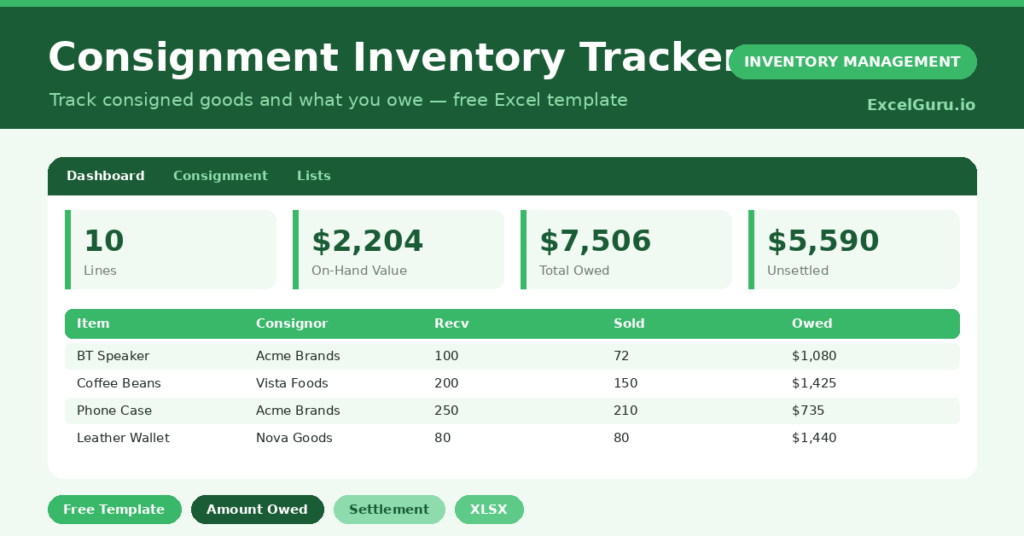
This free consignment tracker keeps that arrangement clear. It tracks what you hold, what has sold, and exactly what you owe each consignor. You will also find realistic sample data already inside the file. Therefore, you can explore every formula, dropdown and chart first, and then replace the samples with your own records in minutes. Below, we explain the formulas, the workflow, and how to adapt the tracker to your own arrangements.
What Is a Consignment Inventory Tracker?
A consignment tracker records goods you hold on behalf of a supplier, known as the consignor. You only pay for these goods after you sell them.
It tracks quantities received and sold, the stock still on hand, and the amount owed. As a result, both you and the consignor always agree on the numbers.
Why Does Consignment Tracking Matter?
Consignment blurs the usual line between your stock and your supplier’s. Without careful tracking, settlements become guesswork and trust erodes.
A clear tracker keeps every party honest. Therefore, you pay for exactly what sold and hold the rest without confusion. It also shows which consignors you owe, so settlements are never missed.
Why Use This Template?
A clear tracker protects a tricky relationship. In particular, this one helps you:
- Track consigned stock received and sold.
- Calculate on-hand quantity and value automatically.
- See exactly what you owe each consignor.
- Separate settled and unsettled amounts.
- Reorder lines before they run out.
What’s Inside the Template?
The workbook has four tabs:
- How to Use — a built-in guide.
- Dashboard — value, sales and amounts owed.
- Consignment — one row per consigned item.
- Lists — consignor, location and settled dropdowns.
What Formulas Does the Template Use?
The tracker uses clear Excel formulas:
| Formula | What it does |
| =Qty Received – Qty Sold | Calculates the quantity still on hand. |
| =Qty on Hand * Unit Cost | Values the consigned stock you still hold. |
| =Qty Sold * Unit Cost | Calculates the amount owed to the consignor. |
| =SUMIF(Settled,”No”,Amount Owed) | Totals what you still owe. |
| =IF(On Hand<=0,”Depleted”,…) | Sets the status of each line. |
How Do You Use the Template?
Setup is quick. Just follow these steps:
- Open the Consignment tab and list each item.
- Record the consignor and the location held.
- Enter the quantity received and quantity sold.
- Add the unit cost agreed with the consignor.
- Let on-hand value, amount owed and status calculate.
- Review what you owe on the Dashboard.
What Are the Best Use Cases?
The tracker fits many situations, such as:
- Shops selling supplier goods on consignment.
- Galleries holding artists’ work.
- Showrooms displaying brand stock.
- Distributors placing goods with retailers.
- Anyone settling sales with a consignor.
How Can You Modify the Template?
You can tailor it freely. To track commission, add a column and calculate your share of each sale.
You can also add a sale-price column to separate cost owed from your retail margin.
In addition, the sheet covers 40 lines by default, and you can copy the formulas down for more.
What Mistakes Should You Avoid?
A few habits weaken the tracker. Therefore, avoid these common mistakes:
- Forgetting to update quantity sold, which understates what you owe.
- Leaving the settled flag blank after paying.
- Mixing consignment stock with owned stock.
- Letting a Low line deplete before reordering.
Tips to Get the Most From It
- Update units sold regularly so amounts owed stay accurate.
- Settle promptly to keep consignor relationships strong.
- Reorder Low lines before they sell out.
- Reconcile the tracker with each consignor’s records.
Frequently Asked Questions
What is consignment inventory?
It is stock you hold but do not own until it sells. The supplier, or consignor, keeps ownership, and you only pay for what you actually sell.
How is the amount owed calculated?
It multiplies the quantity sold by the agreed unit cost. Therefore, you only ever owe for goods that have actually sold.
What does the on-hand value represent?
It is the value of consigned stock you still hold. This stock remains the consignor’s until you sell it.
How do I track settlements?
Use the settled column to mark each line Yes or No. The dashboard then shows your total unsettled balance.
Does it work in Google Sheets?
It does, with minor adjustments to dropdowns and formatting after importing.
Download the Template and Get Started
Consignment works only when both sides trust the numbers. This tracker keeps those numbers clear and current.
Download the Consignment Inventory Tracker and manage your consigned stock today.