
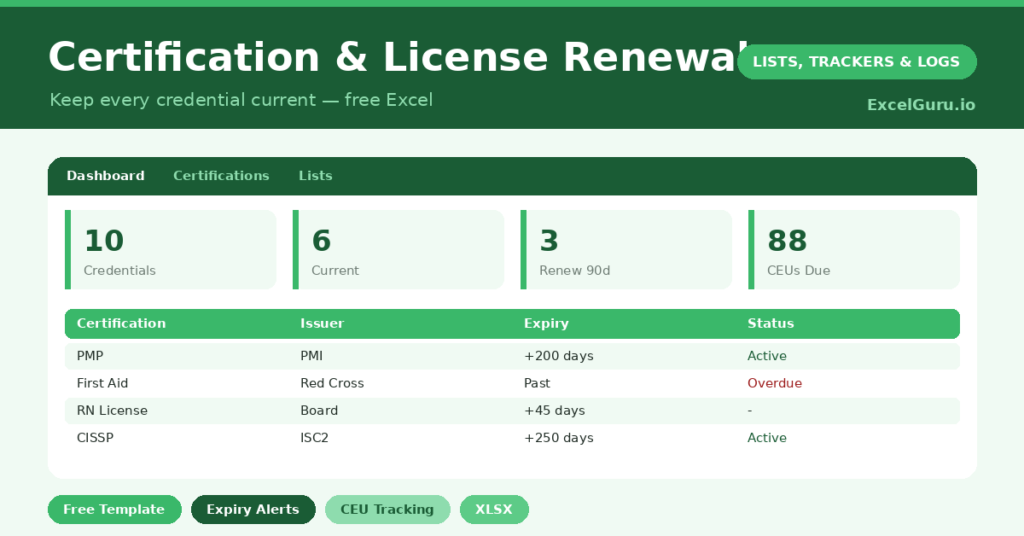
A certification tracker protects something genuinely valuable: the professional credentials your career depends on. A lapsed license or certification can mean you are suddenly not allowed to do your job, and renewals often require continuing education completed well in advance. So a missed deadline is not a minor slip; it can be a serious professional problem.
This free template logs every certification and license, counts down to each expiry, and tracks your continuing-education progress. So it flags what is current, what needs renewing soon, and what has lapsed. As a result, your hard-won credentials stay valid, with no last-minute scrambles or costly gaps.
What does the certification tracker include?
The template is one credential list feeding a clear dashboard. Dropdowns keep categories tidy. In short, you get the following:
- A certifications list with the certification, issuer, category, expiry date, days to expiry, status, CEUs required and CEUs done.
- An automatic days-to-expiry countdown and a colour-coded status for every credential.
- Drop-down lists for category, so entries stay consistent and filterable.
- CEU tracking columns, so you can see your continuing-education progress at a glance.
- A dashboardshowing total credentials, current, renewing soon, expired, your outstanding CEUs and the soonest expiry of all.
Which formulas power the certification tracker?
Two formulas keep your credentials safe. The days to expiry column is =Expiry Date – TODAY(), so every certification counts down on its own. A nested IF then labels each one *Current*, *Renew Soon* (within 90 days) or *Expired*, colour-coded for an instant read.
On the dashboard, COUNTIF totals each status, so you can see your renewal workload at a glance. A subtraction of CEUs done from CEUs required shows how much continuing education you still owe. A helper column feeding a MIN surfaces the soonest expiry. So the next credential needing attention is always one glance away.
Why use a certification tracker?
The stakes make this tracker more important than most. An expired credential can halt your ability to work, trigger penalties, or require costly re-examination. So the early warning a tracker provides has real financial and career value.
The CEU tracking is just as important. Many certifications require a set number of continuing-education units before renewal, and those take time to earn. Because the tracker shows your outstanding CEUs, you can plan them across the year rather than cramming at the deadline. Furthermore, it keeps all your credentials and issuers in one place for easy reference. In short, the tracker safeguards your professional standing.
What does the dashboard reveal?
The dashboard gives you a clear view of your professional standing. The renewing-soon count is the one to act on, since those credentials are within 90 days of expiry. So you can start the renewal process in good time.
The expired count is a red flag that demands immediate attention, while the current count is reassuring. The outstanding-CEUs figure tells you how much continuing education still stands between you and your renewals. The soonest-expiry date names the very next deadline, calculated for you. Because it all updates daily, nothing creeps up on you. So the dashboard keeps your credentials firmly under control.
How do you set it up?
List every professional certification and license you hold, with its issuer and expiry date. So your full credential picture is in one place. Where a renewal requires CEUs, enter the number required and update the number done as you earn them.
Then the tracker counts down and flags each credential as its expiry nears. Check the dashboard monthly, and act on anything renewing soon. Earning CEUs steadily through the year, rather than at the last minute, becomes far easier when you can see the target. A few minutes of setup protects credentials that took years to earn.
How do you customise it?
Edit the categories on the Lists tab to match your field, such as *Medical*, *IT* or *Trade*. Additionally, you can add columns for the renewal cost, the renewal website, or the date you submitted your renewal. A notes column is useful for recording exactly what each renewal requires. The template suits a single license or a whole portfolio of professional credentials.
What mistakes should you avoid?
The first mistake is treating the expiry date as the deadline, when the real deadline is far earlier. Renewals often need CEUs and processing time, so start when the status turns to renew soon. The second mistake is ignoring the CEU columns.
Continuing education is usually the slowest part of renewal, so track it from the start of each cycle. Finally, do not let the tracker fall out of date. Update each credential the moment you renew it, and the countdowns stay accurate. A current tracker is what stands between you and an accidental lapse.
Frequently asked questions
How does the certification tracker warn me before expiry?
A days-to-expiry countdown flags any credential within 90 days as renew soon, and the dashboard counts them and shows the soonest expiry. So you can begin the renewal process with time to spare.
Can it track continuing education units?
Yes. Enter the CEUs required and update the CEUs done as you earn them, and the dashboard shows your total outstanding. That helps you spread continuing education across the year instead of cramming.
Can I track several certifications at once?
Absolutely. List every credential you hold, each with its own expiry and CEU requirements. The dashboard then gives you a single, clear view of your whole professional portfolio.
List your credentials, track your CEUs, and check the dashboard each month. The countdowns then make sure no renewal ever sneaks up on you. A certification tracker is a small habit that protects the professional qualifications your livelihood depends on, which makes it one of the most valuable trackers you can keep.