
It is often said that half of marketing spend “works” and half is “wasted”, the old saying goes, and the trouble is knowing which “half”.
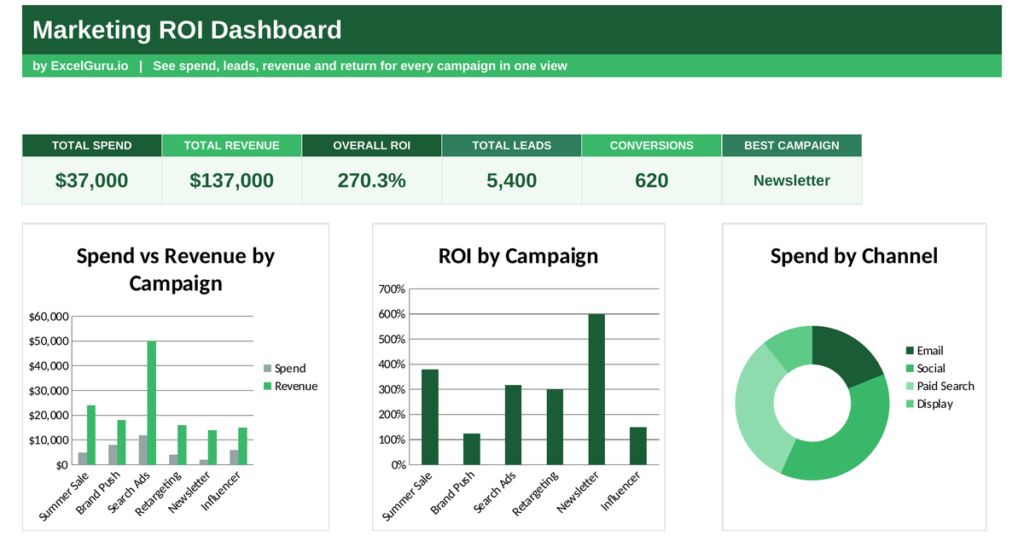
A marketing dashboard answers that, measuring the return on every campaign so you can back the winners. This free Excel template tracks spend and revenue by campaign, calculates ROI, and shows the cost of every lead and sale. Below you will learn what a marketing dashboard tracks, the formulas behind it, and how the template calculates each figure.
Also check out Campaign Performance Tracker Template in Excel.
What is a marketing dashboard?
A marketing dashboard is a single view of how your campaigns are performing. It turns spend and results into the metrics that prove marketing pays.
It tracks what each campaign costs, how many leads and sales it produces, and what it earns back. At its heart sits return on investment, the measure of profit against spend. Because marketing budgets are always under scrutiny, the dashboard shows exactly where the money works. So a marketing dashboard turns spending into evidence of value.
Why measure marketing ROI
Marketing without measurement is guesswork with a budget. Money flows out, but nobody knows which campaigns bring it back.
Measuring return reveals which channels earn their keep and which drain the budget. It lets you shift money toward what works and cut what does not, so every pound works harder. Because marketing must justify itself like any investment, ROI is the language that wins the argument. So the dashboard is really a tool for defending and directing your budget.
The marketing ROI formula
Three metrics tell you most of what you need: return on investment, cost per lead and cost per acquisition. Each compares spend with a result.
ROI = (Revenue − Spend) ÷ Spend
Cost per lead = Spend ÷ Leads
Cost per acquisition = Spend ÷ Conversions
So ROI subtracts spend from revenue and divides by spend, showing the profit earned for every pound invested. Cost per lead divides spend by the leads generated, and cost per acquisition divides spend by the sales won. Together they show not just whether a campaign earns back its cost, but how efficiently it turns money into leads and customers. So a few divisions expose the true value of every campaign.
How the marketing dashboard calculates the metrics
The template needs each campaign with its spend, leads, conversions and revenue. From there it works out the returns for you.
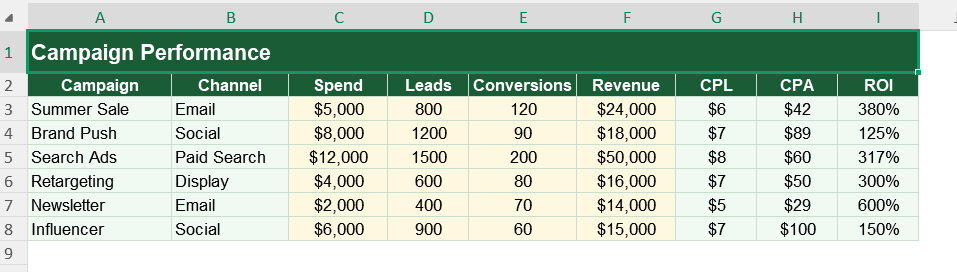
Cost per lead appears as =C3/D3, the spend over the leads. Cost per acquisition uses =C3/E3, the spend over the conversions. ROI uses =(F3-C3)/C3, revenue minus spend over spend. The dashboard then totals spend and revenue with SUM, works out overall ROI the same way, and names your best campaign with INDEX and MATCH on the highest ROI. So every figure updates the moment you enter new results.
A worked ROI example
Put numbers in and the maths is clear. Suppose a campaign costs 5,000, brings in 250 leads, and earns 20,000 in revenue.
Its ROI is (20,000 − 5,000) divided by 5,000, which is 3, or 300%. Its cost per lead is 5,000 divided by 250, or 20 per lead. So every pound spent returned three, and each lead cost twenty. A campaign like that clearly deserves more budget, which the dashboard makes obvious.
Reading the charts in dashboard
The first chart compares spend with revenue for each campaign, so profitable campaigns stand out at once. The second chart ranks campaigns by ROI, showing which return the most per pound.
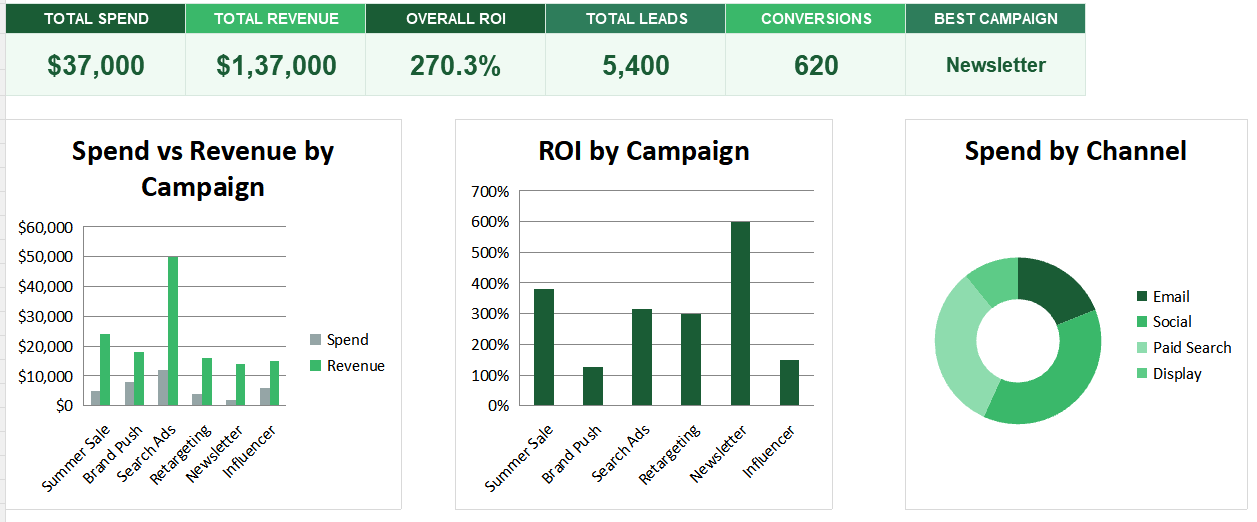
The third chart is a doughnut splitting spend by channel, revealing where your budget concentrates. Because you see the return and the spread together, budget decisions get easier. So together the charts show both which campaigns pay off and where your money currently goes.
Judge campaigns on ROI, not raw revenue. A campaign that earns less but costs far less can return more per spend than a big, expensive one.
Who uses a marketing dashboard
Marketing managers use it to prove their impact and direct the budget. It shows them what works.
Small business owners use it to check that their marketing pays. Agencies use it to report results to clients. Founders use it to allocate spend wisely. Because every marketer must justify a budget, the dashboard suits many settings.
Making your own version
The template provided here is a starting point, not a fixed form. You can add campaigns as you run them. You can change the channels to match your mix.
The dashboard is customizable to your needs, so you can add a conversion-rate column alongside the cost metrics. A quick edit does it. You might also track results month by month. The structure welcomes that kind of extension without complaint.
Marketing earns its budget when it can prove its worth. A marketing dashboard measures the return on every campaign, so you can back the winners and cut the waste. So download the template, enter your campaigns, and turn marketing spend into a clear case for what works.
Measuring return sounds simple until you ask which campaign earned a sale. Customers rarely act on a single touch.
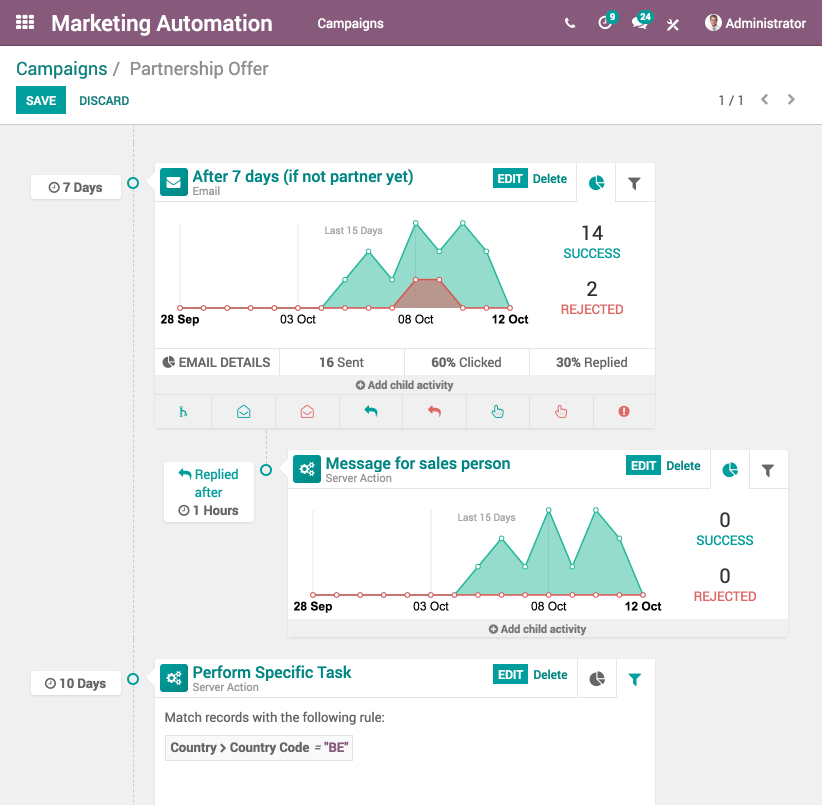
Furthermore, If you are looking for marketing automation tools, check out Odoo Marketing Automation for Free.
Someone might see a social post, click an email, then buy through a search ad, and all three played a part. So treat single-campaign ROI as a strong guide rather than the whole truth, and watch the overall trend as well as the per-campaign figures. Because attribution is never perfect, the direction of your returns matters as much as any one number.