
Hiring on a gut feeling is how good teams make bad hires. Memory fades, charisma misleads, and the loudest opinion often wins.
This free interview scorecard replaces the hunch with a method. Each interviewer scores the same areas, and the sheet turns scores into a recommendation. You will also find realistic sample data already inside the file. Therefore, you can explore every formula, dropdown and chart first, and then replace the samples with your own records in minutes.
Below, we explain the scoring, the formulas, and how to adapt the scorecard to your own roles.
What Is an Interview Scorecard?
An interview scorecard records a structured score for each candidate across several areas. It captures evidence rather than a single overall impression. Each area gets its own score, so strengths and weaknesses are clear instead of blurred into one verdict.
From those scores, it calculates an overall result and a recommendation. As a result, hiring decisions become consistent and easier to compare. Every interviewer works from the same areas, so the conversation stays focused on evidence rather than impressions.
Why Does Structured Interviewing Matter?
Unstructured interviews are surprisingly poor at predicting performance. They favor confidence and similarity over real ability.
A shared scorecard counters that bias. Therefore, every candidate is judged on the same criteria, and the decision rests on evidence. It also makes it far easier to compare candidates fairly. Over time, scoring the same way builds a record you can learn from and improve.
Why Use This Template?
A clear scorecard makes hiring fairer. In particular, this one helps you:
- Score candidates across five consistent areas.
- Calculate an overall score automatically.
- Turn scores into a clear recommendation.
- Compare candidates on the same basis.
- See where candidates are strong or weak as a group.
What’s Inside the Template?
The workbook has four tabs:
- How to Use — a built-in guide.
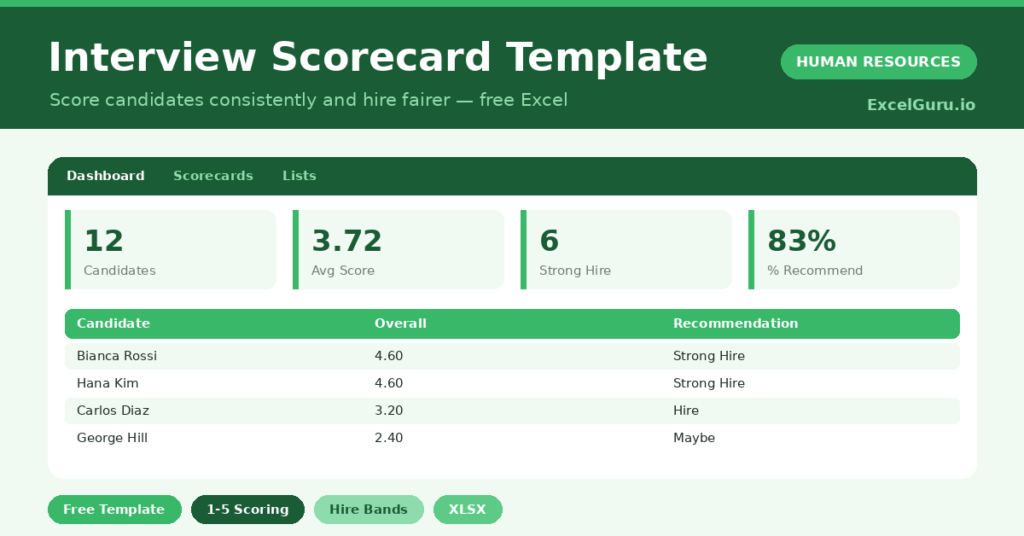
- Dashboard — recommendation split and area averages.
- Scorecards — one row per candidate.
- Lists — the scoring reference.
What Formulas Does the Template Use?
The scorecard uses dependable Excel formulas:
| Formula | What it does |
| =AVERAGE(Technical: Experience) | Calculates the overall score from the five areas. |
| =IF(Score>=4,”Strong Hire”,…) | Turns the score into a recommendation. |
| =COUNTIF(Recommendation, “Strong Hire”) | Counts each outcome. |
| =AVERAGE(Technical column) | Calculates the average score for an area. |
| =AVERAGEIF(Overall,”>0″) | Calculates the average candidate score. |
How Do You Use the Template?
The scorecard is quick to fill. Just follow these steps:
- Open the Scorecards tab and add each candidate.
- Record the role and interviewer.
- Score the five areas from 1 to 5.
- Let the overall score and recommendation calculate.
- Compare candidates on the Dashboard.
- Discuss the scores before making a decision.
What Are the Best Use Cases?
The scorecard fits many teams, such as:
- Small businesses making key hires.
- Hiring panels comparing candidates.
- HR teams standardizing interviews.
- Managers running structured interviews.
- Anyone replacing a freeform interview note.
How Can You Modify the Template?
You can tailor it freely. To change the areas, rename the five score columns to match the role.
You can also adjust the recommendation thresholds to set a higher or lower bar.
Moreover, the sheet covers 40 candidates by default, and you can copy the formula row downward for more.
What Mistakes Should You Avoid?
A few habits weaken the scorecard. Therefore, avoid these common mistakes:
- Scoring after a group discussion instead of before.
- Letting one strong area hide a weak one.
- Using vague criteria interviewers read differently.
- Filing scorecards without an agreed decision.
Tips to Get the Most From It
- Have each interviewer score independently first.
- Define what each score means before you start.
- Use the area averages to compare candidate groups.
- Keep scorecards on file to support fair hiring.
Frequently Asked Questions
How is the recommendation decided?
The overall score rolls into Strong Hire, Hire, Maybe or No Hire. Every interviewer therefore uses the same bar for a decision.
Should interviewers score before or after discussing?
Before. Independent scores prevent the loudest voice from anchoring the panel, then the discussion compares the evidence.
Can I change the scoring areas?
Yes. Rename the five columns to fit the role, and the overall score and recommendation still work.
How do I compare candidates?
The dashboard shows each outcome and the average score per area, so you can compare candidates on a like-for-like basis.
Does it work in Google Sheets?
It does, with minor adjustments to formatting after importing.
Download the Template and Get Started
Great hiring is structured, not lucky. This scorecard gives every candidate the same fair, evidence-based assessment.
Download the Interview Scorecard Template and hire more consistently today.