
Job descriptions tend to scatter and quietly age. When you need the right one, it is out of date, off-brand or simply missing.
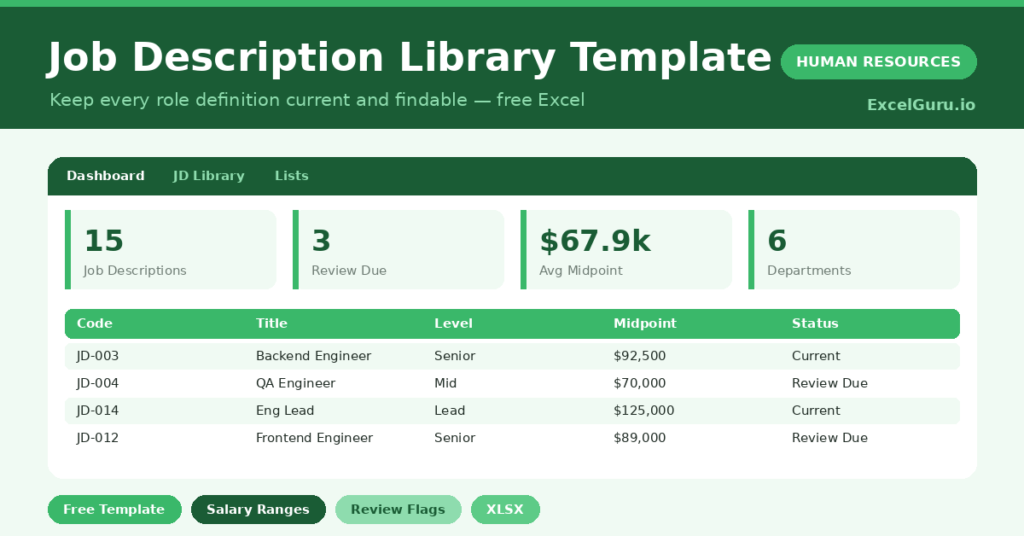
This free job description library keeps them all in one catalogue. You log each role once, and the sheet flags any description due for review. You will also find realistic sample data already inside the file. Therefore, you can explore every formula, dropdown and chart first, and then replace the samples with your own records in minutes.
Below, we explain the formulas, the structure, and how to adapt the library to your own roles.
What Is a Job Description Library?
A job description library is a single catalogue of every role in your organization. It records the level, reporting line, salary range and review date.
It also tracks how current each description is. As a result, you have one reliable source for hiring, levelling and pay conversations.
Why Does a JD Library Matter?
Out-of-date job descriptions cause real problems. They mislead candidates, muddle pay decisions and weaken any case at review time.
A central library keeps them accurate and consistent. Therefore, every role is defined the same way and is easy to find. Review flags also make sure descriptions never drift too far from reality.
Why Use This Template?
A clear library keeps role definitions sharp. In particular, this one helps you:
- Catalogue every job description in one place.
- Record salary ranges and calculate midpoints.
- Track when each description was last updated.
- Flag descriptions that are due for review.
- See roles and pay by department.
What’s Inside the Template?
The workbook has four tabs:
- How to Use — a built-in guide.
- Dashboard — totals, review-due and pay KPIs.
- JD Library — one row per role.
- Lists — department, level and type dropdowns.
What Formulas Does the Template Use?
The library uses dependable Excel formulas:
| Formula | What it does |
| =(Salary Min + Salary Max) / 2 | Calculates the salary midpoint. |
| =TODAY() – Last Updated | Calculates days since the last update. |
| =IF(Days>365,”Review Due”,”Current”) | Flags descriptions over a year old. |
| =COUNTIF(Department, d) | Counts job descriptions per department. |
| =AVERAGEIF(Department, d, Midpoint) | Calculates the average midpoint per department. |
How Do You Use the Template?
Setup is quick. Just follow these steps:
- Open the JD Library tab and list your roles.
- Enter the department, level and reporting line.
- Add the salary range for each role.
- Record the last-updated date.
- Let the midpoint and review status calculate.
- Review totals and pay on the Dashboard.
What Are the Best Use Cases?
The library fits many teams, such as:
- HR teams managing many role definitions.
- Hiring managers reusing consistent descriptions.
- Compensation teams aligning pay to levels.
- Leadership reviewing the role structure.
- Anyone tidying scattered job descriptions.
How Can You Modify the Template?
You can tailor it freely. To add detail, insert columns for key skills or a link to the full description document.
You can also change the review threshold from a year to match your policy.
Moreover, the sheet covers 40 roles by default, and you can copy the formula row downward for more.
What Mistakes Should You Avoid?
A few habits weaken the library. Therefore, avoid these common mistakes:
- Letting descriptions age without review.
- Using inconsistent levels across roles.
- Recording salary ranges that ignore the market.
- Keeping duplicate descriptions for one role.
Tips to Get the Most From It
- Review each description at least once a year.
- Keep levels consistent across departments.
- Align salary ranges with your benchmarking data.
- Store a link to the full document beside each row.
Frequently Asked Questions
How does the review flag work?
A description is flagged Review Due once it is more than a year old, based on its last-updated date. This keeps your library current.
What is the salary midpoint for?
The midpoint summarizes the range in one figure. It is useful for comparing roles and aligning pay against benchmarks.
Can I store the full descriptions here?
This catalogue holds the key details. For the full text, add a column linking to each description document so everything stays connected.
How many roles can it hold?
It is ready for 40 roles, and you can copy the formula row downward to catalogue many more.
Does it work in Google Sheets?
It does, with minor adjustments to formatting after importing.
Download the Template and Get Started
Clear, current job descriptions support every hiring and pay decision. This library keeps them all in order.
Download the Job Description Library Template and organize your roles today.