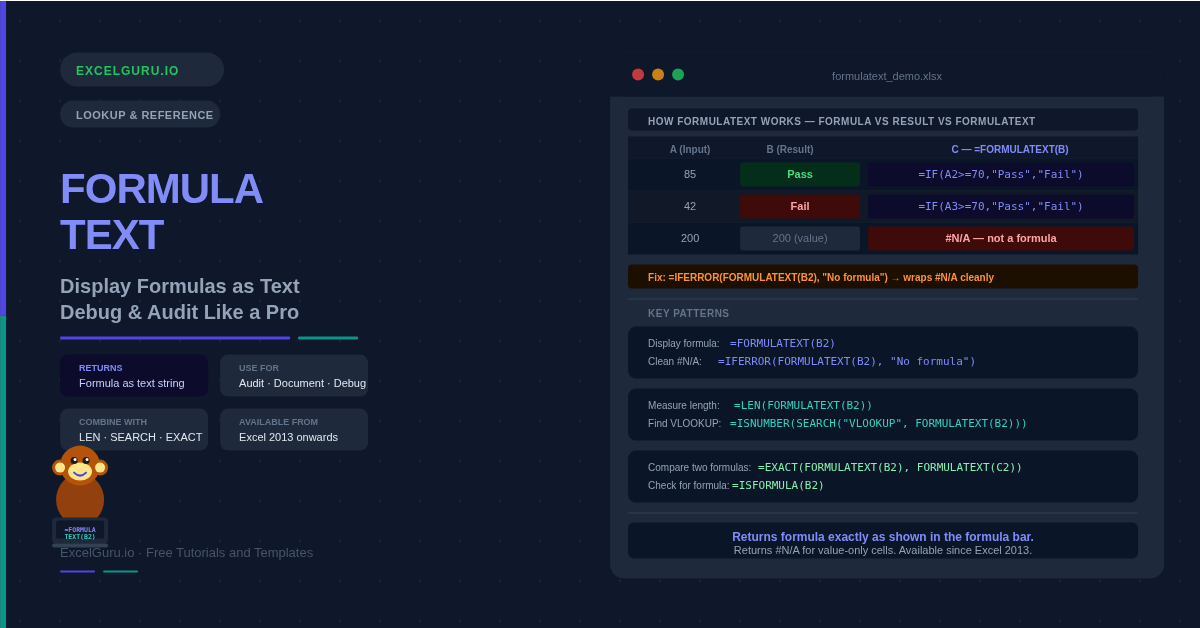
FORMULATEXT: Display Formulas as Text – Debug & Audit Like a Pro
Learn how to use FORMULATEXT in Excel to display any formula as readable text. Covers audit sheets, IFERROR handling, LEN complexity checks, and searching for specific functions.

Learn how to use FORMULATEXT in Excel to display any formula as readable text. Covers audit sheets, IFERROR handling, LEN complexity checks, and searching for specific functions.
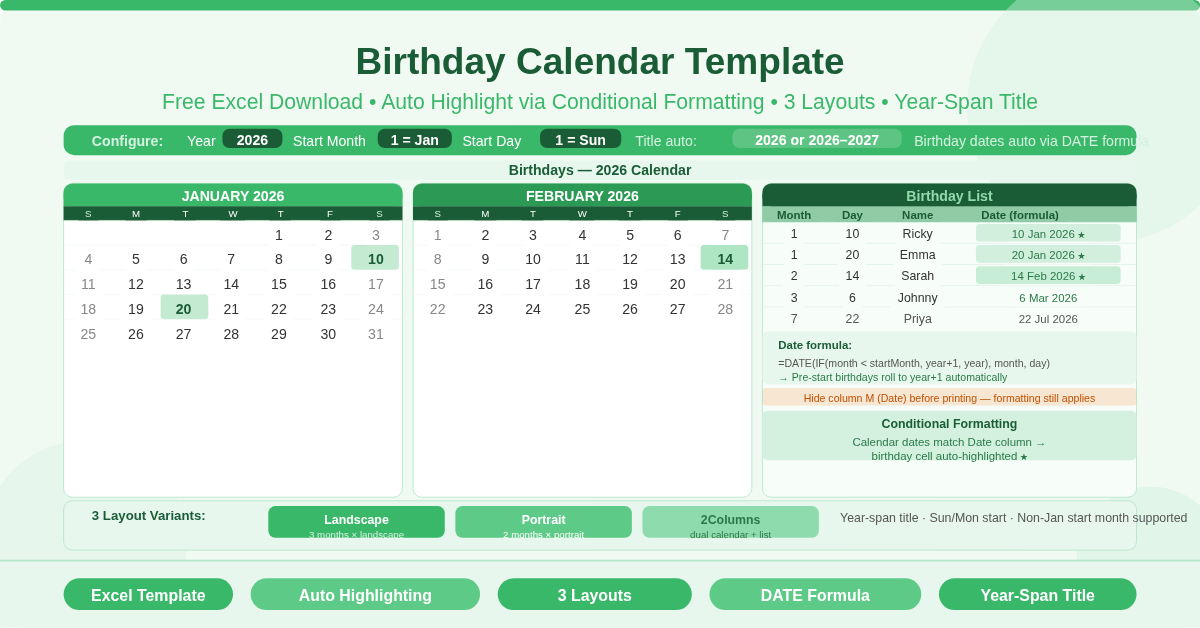
This free Excel Birthday Calendar Template displays a full-year birthday calendar with birthdays highlighted automatically through conditional formatting. Enter each person’s month, day, and name in the birthday list — a DATE formula calculates the exact birthday and the calendar highlights it on the correct date. Three layout variants (Landscape, Portrait, and 2Columns) suit different display and printing preferences. Year, Start Month, and Start Day are all configurable.
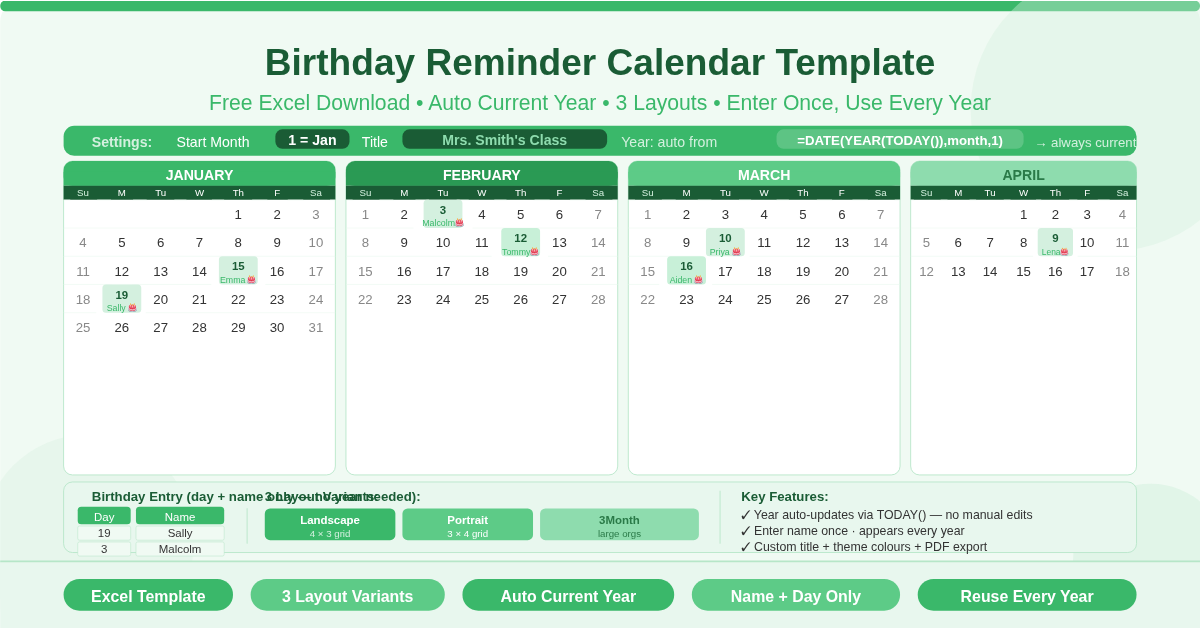
This free Excel Birthday Reminder Calendar Template displays all 12 months of birthdays in a clean, printable calendar layout. Enter each person’s birth day and name once, and the calendar uses the current year automatically — there is no year to update. Three variants cover landscape, portrait, and large-group formats. Set a custom title, choose a start month, and export as a PDF in minutes.
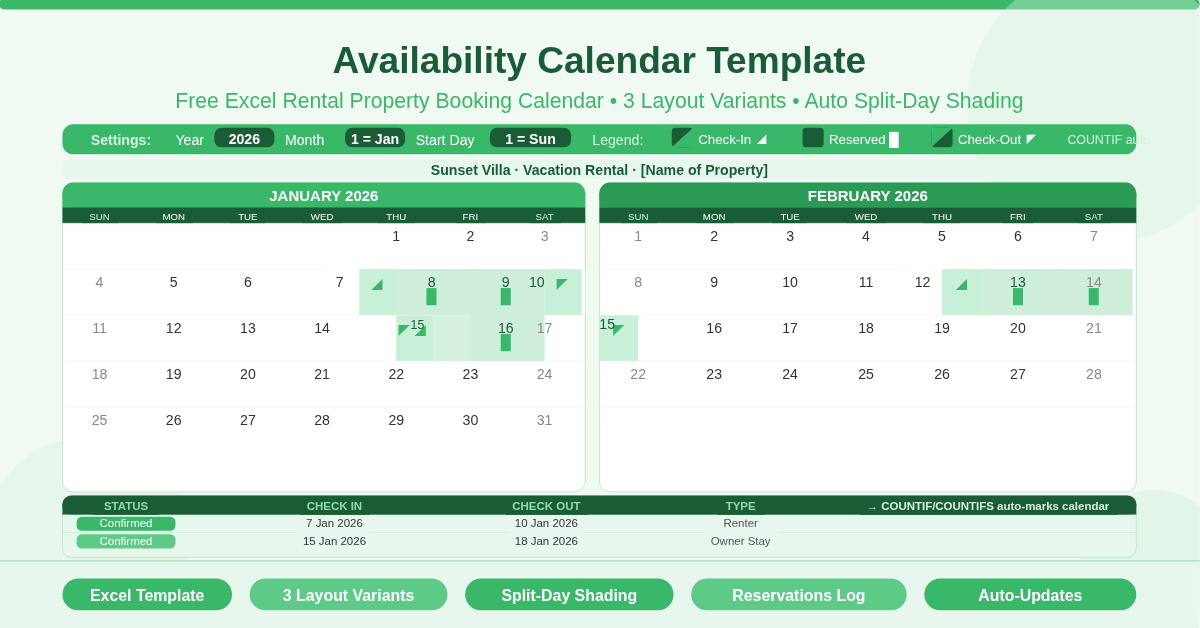
This free Excel Availability Calendar Template is designed for vacation rentals, holiday lets, and short-term rental properties. It displays check-in dates, check-out dates, and fully reserved days using a split-day visual system. Enter reservations in the log and the calendar updates automatically. Three layout variants offer 2-month, 3-month, and simplified block views — all driven by Year, Month, and Start Day inputs.
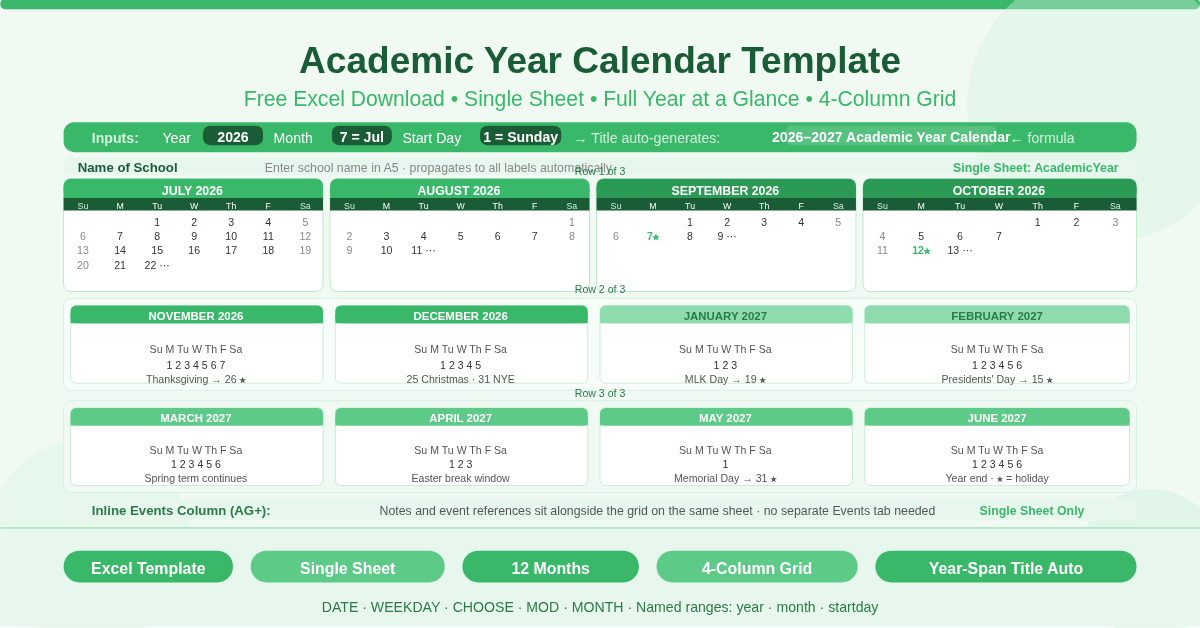
This free Excel Academic Year Calendar Template displays a full academic year on a single sheet. All 12 months are arranged in a 4-column grid, giving a complete year-at-a-glance view. Three inputs — Year, Month, and Start Day — control every date on the sheet. The title auto-generates a year-span label such as “2026–2027”. An inline Events column sits alongside the calendar grid for notes and event references.
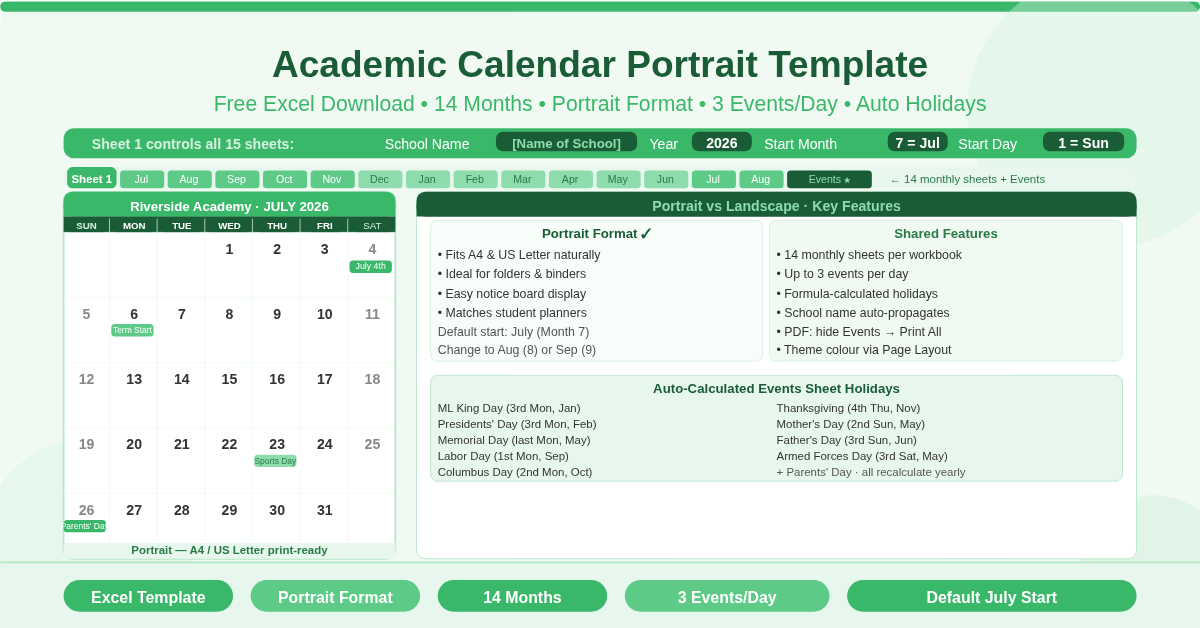
This free Excel Academic Calendar Portrait Template displays up to 14 consecutive months across 15 individual portrait-oriented sheets. Enter the school name, year, start month, and start day — and every sheet updates instantly. Each day supports up to 3 events pulled automatically from the built-in Events sheet. US public holidays are formula-calculated and need no manual entry. The template defaults to a July start for a standard North American academic year.
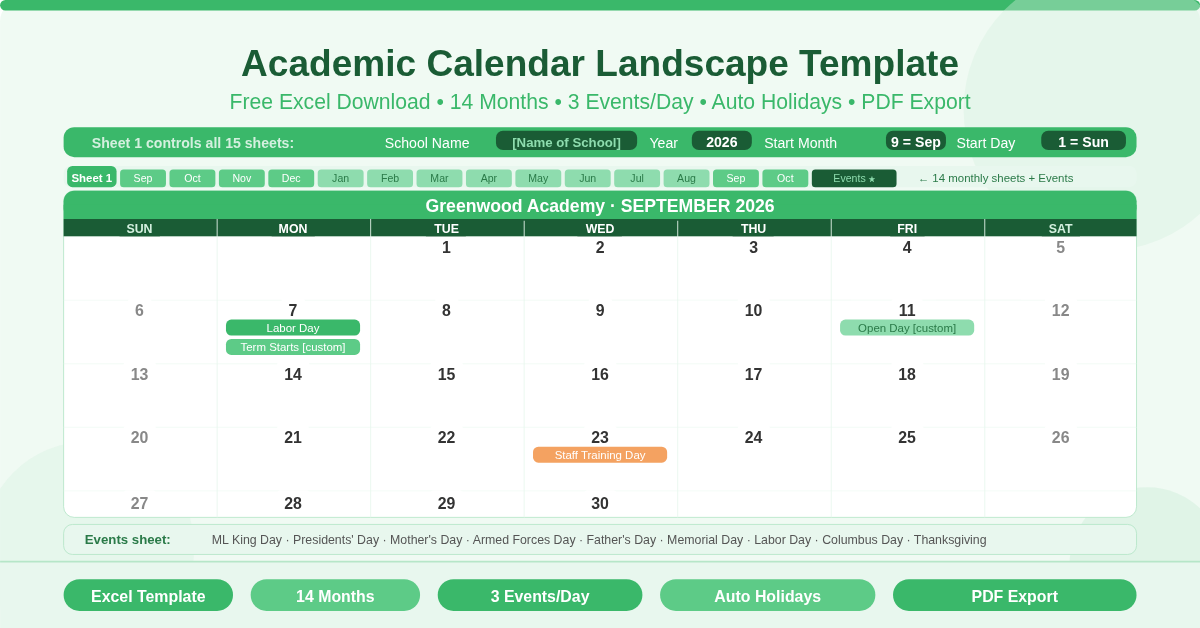
This free Excel Academic Calendar Landscape Template displays up to 14 consecutive months across 15 individual landscape sheets. Enter the school name, year, start month, and start day — and every sheet updates instantly. Each day supports up to 3 events, automatically pulled from the built-in Events sheet via INDEX/MATCH. US public holidays are formula-calculated and appear without any manual entry.
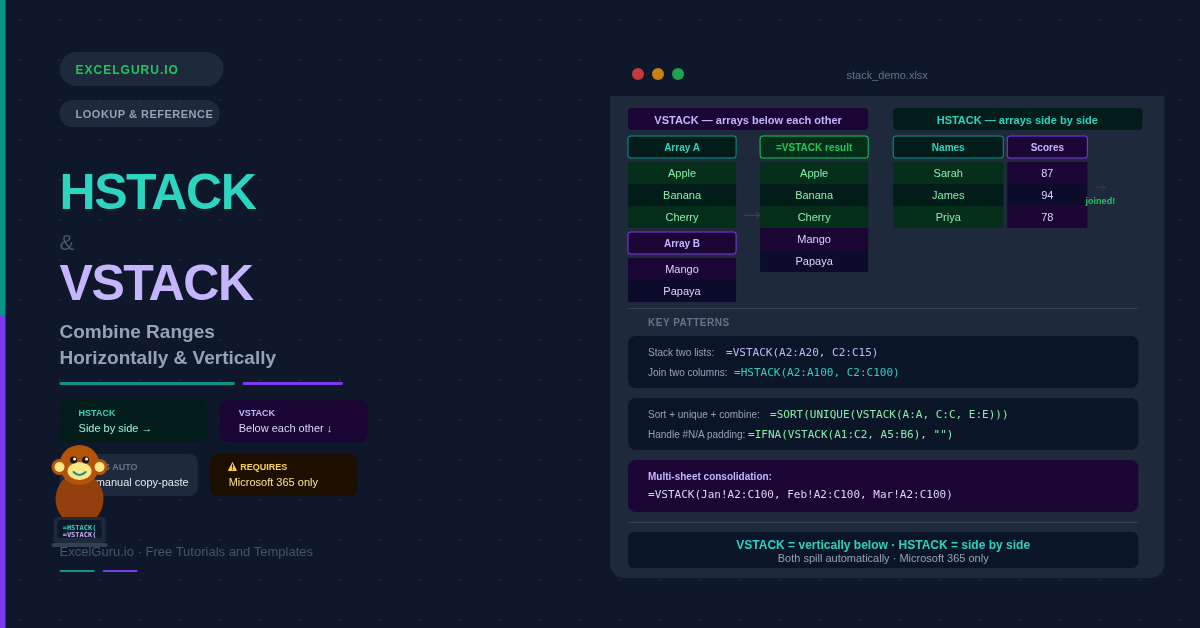
Learn how to use HSTACK and VSTACK in Excel to combine ranges side by side or stacked vertically. Covers SORT and UNIQUE pipelines, cross-sheet consolidation, and #N/A handling.
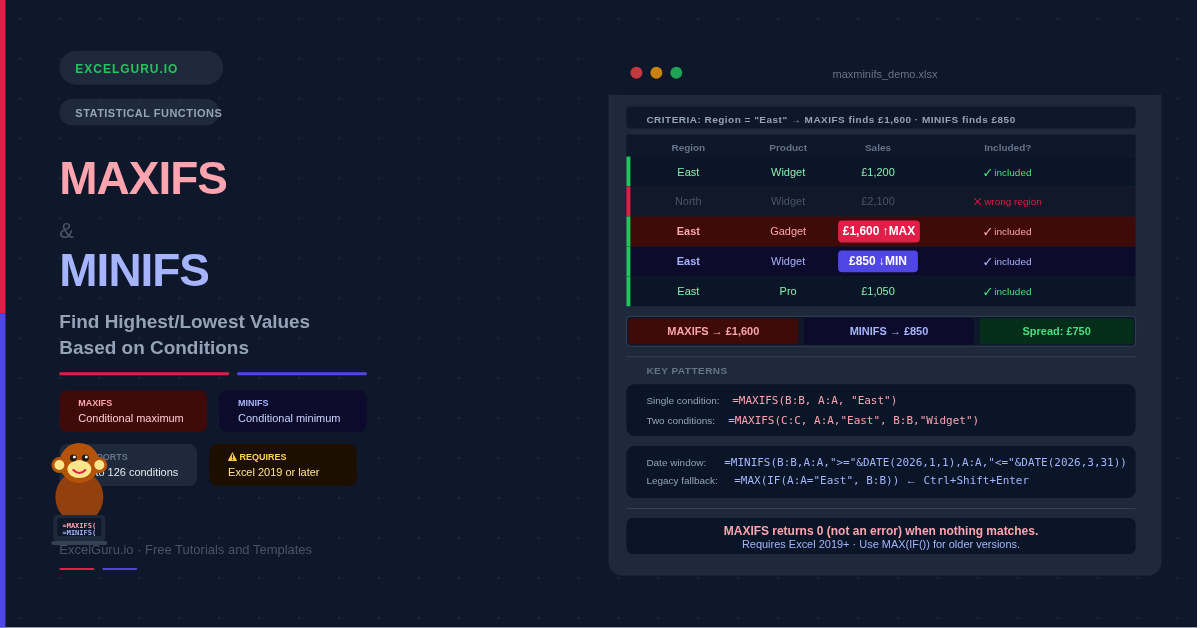
Learn how to use MAXIFS and MINIFS in Excel to find conditional maximum and minimum values. Covers multiple criteria, date ranges, summary grids, and the MAX(IF) fallback for older versions.
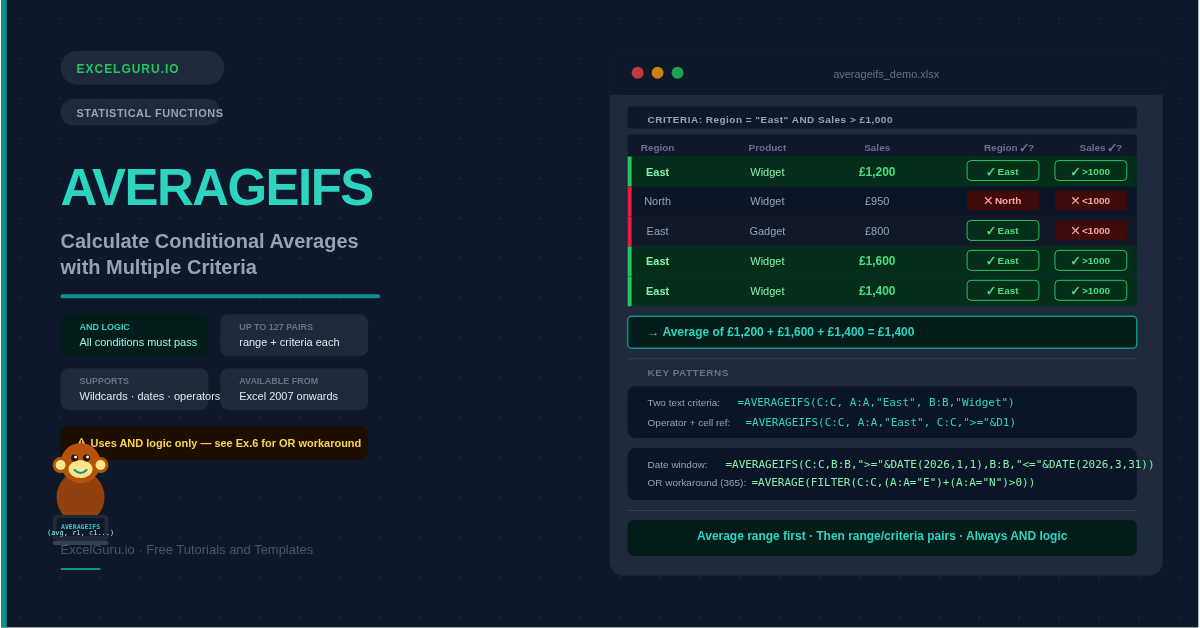
Learn how to use AVERAGEIFS in Excel to average data with multiple conditions. Covers text, numeric, date, and wildcard criteria, OR logic workarounds, and common errors.
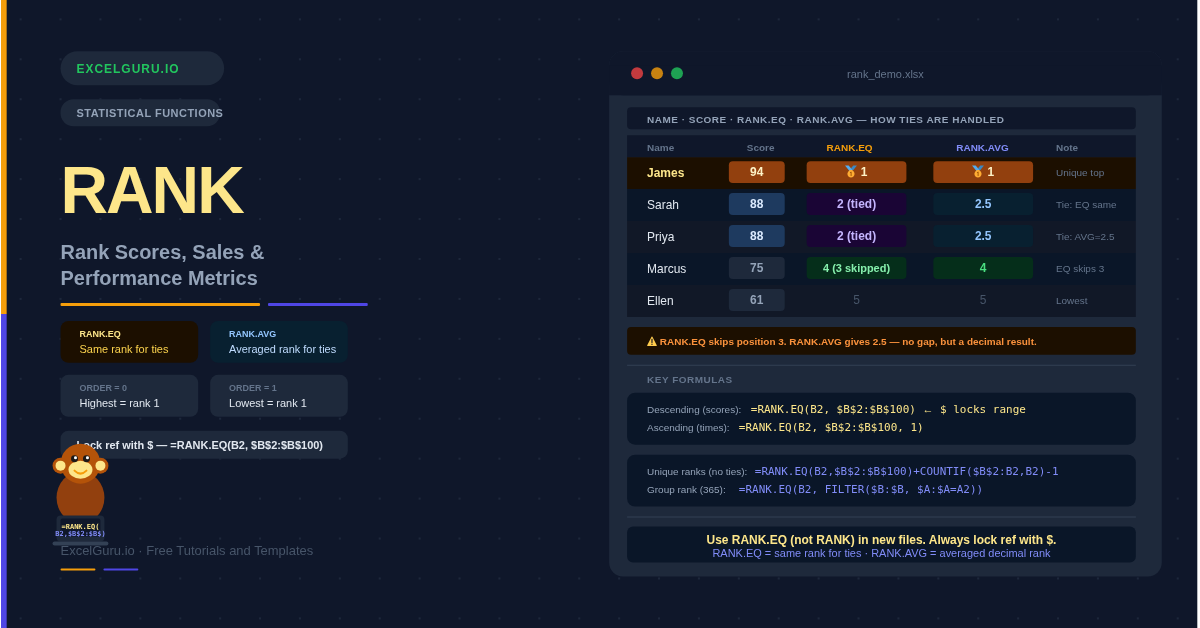
Learn how to use RANK.EQ and RANK.AVG in Excel to rank scores, sales, and performance data. Covers tie handling, ascending rank, unique ranks, and conditional group ranking.
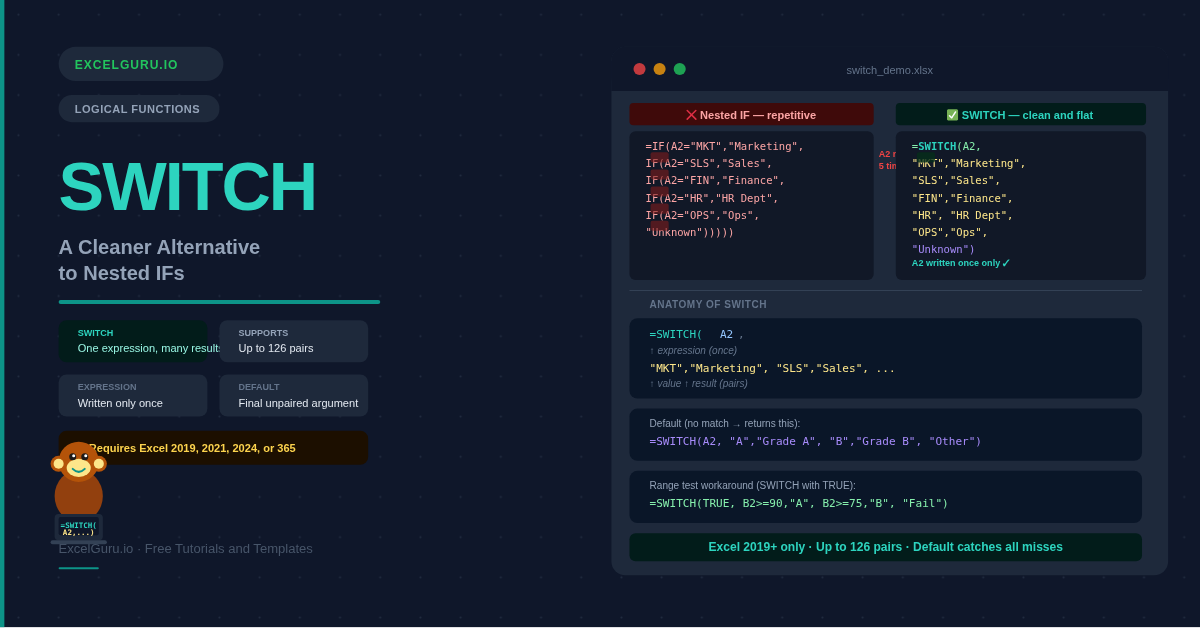
Make complex Excel formulas easier to read with the SWITCH function. This practical tutorial explains how SWITCH compares a single expression against multiple values and returns the corresponding result, providing a cleaner alternative to deeply nested IF formulas. Learn the SWITCH syntax, default results, text and numeric comparisons, practical examples, and common errors. Discover how to use SWITCH for grading systems, status labels, categories, business rules, and data classification. Ideal for Excel users, analysts, finance professionals, students, and anyone looking to write cleaner and more maintainable spreadsheet formulas.